

Everywhere
  • Everywhere
  • Articles
  • Pages
  • Forum
  • Files
  • Records
  • Records
  • Records
  • Records
  • Records
  • Records
  • Records
  • Records
  • Records
  • Recipes
  • Article (Rating System)
  • News
  • News update
  • Videos
  • Images
  • More Options
  1. Forum
  2. News
  3. Hardware
    1. 3D-Accelerator
    2. CPU-Sockets
    3. RAM
    4. HDMI & Display Port
    5. USB
    6. Thunderbolt
    7. Connectors / Ports
  4. Timelines
    1. ICT Timeline
      1. Categories
      2. All Records
      3. ICT Timeline - The Beginnings
      4. ICT Timeline - 60s/70s
      5. ICT Timeline - 80s
      6. ICT Timeline - 90s
      7. ICT Timeline - 00s
      8. ICT Timeline - 10s
    2. OS Timeline
      1. Categories
      2. All Records
      3. DOS
      4. Windows
      5. MacOS
  5. Parcum
    1. Parcum - Map
    2. Parcum - All Entries
    3. Parcum - Countries
    4. Parcum - Categories
  6. Reviews
  7. Rezepte
  8. Other
    1. Downloads
    2. Link-Library
    3. Restaurants, Snacks and more
    4. ISeeT Tools
    5. ISeeT Photos
    6. YouTube Videos
    7. ISeeT TV
    8. ISeeT TV on Tour
  • Login
  • Register
  • Search
  1. ISeeT Forums
  2. Members
  3. ISeeTWizard

Posts by ISeeTWizard

  • Fix Trust Relationship

    • ISeeTWizard
    • 11 November 2025 at 12:29

    Sometimes it happens that your machine looses the trust with your primary domain.

    In that case there are different option you try to fix it but you need AD Admin rights.

    First one is simply disconnect the machine from the domain and rejoin it but pay attention that you need a password for a local admin account!

    You could now simply go to System → Domain or Workgroup → Change and move it to a temp workgroup, reboot and than join it to the domain or you can use PowerShell for this.

    PowerShell
    $computer = Get-WmiObject Win32_ComputerSystem
    $computer.UnjoinDomainOrWorkGroup("AdminPW", "AdminAccount", 0)
    $computer.JoinDomainOrWorkGroup("Domain", "AdminPW", "AdminAccount", $null, 3)
    Restart-Computer -Force


    Another option is if the machine still exists in the AD to reset the machine password.

    For this you can use this PowerShell Command here

    PowerShell
    Reset-ComputerMachinePassword -Server DomainServer -Credential DomainName\Administrator

    or with

    PowerShell
    Test-ComputerSecureChannel -Verbose -Repair -Credential DomainName\Administrator

    You can also use this command to simply check the current status

    PowerShell
    Test-ComputerSecureChannel -verbose

    This would lead into a message like

    Code
    VERBOSE: Performing the operation "Test-ComputerSecureChannel" on target "YourMachinName".
    True
    VERBOSE: The secure channel between the local computer and the domain YourDomainName is in good condition.

    Another option is to use netdom but in a multi Server environment this could lead into issues as you don't know on what DC the machine does its authentifcation.

    Code
    netdom resetpwd /Server:DC1 /UserD:administrator /passwordD:<em>password</em>

    Also within the RSAT you could search for the machine, right click it and choose to reset the account.

    But till now I never was successful with this one but as it is reported on some sites - maybe it's due to our special environment that it doesn't work.

    And another option is also again a remove and add computer one :smiling_face:

    PowerShell
    Remove-Computer -UnJoinDomaincredential DomainName\administrator -PassThru -Verbose -Restart
    PowerShell
    Add-Computer -DomainName DomainName -Passthru -Verbose -Restart

    That are to most common ways - at least those I know :smiling_face:

  • Context menu - Windows Tools

    • ISeeTWizard
    • 5 November 2025 at 08:01
    Code
    Windows Registry Editor Version 5.00
    
    [HKEY_CLASSES_ROOT\Directory\background\shell\Windows - Tools]
    "Icon"=hex(2):25,00,73,00,79,00,73,00,74,00,65,00,6d,00,72,00,6f,00,6f,00,74,\
      00,25,00,5c,00,73,00,79,00,73,00,74,00,65,00,6d,00,33,00,32,00,5c,00,69,00,\
      6d,00,61,00,67,00,65,00,72,00,65,00,73,00,2e,00,64,00,6c,00,6c,00,2c,00,2d,\
      00,31,00,31,00,34,00,00,00
    "MUIVerb"="Windows - Tools"
    
    [HKEY_CLASSES_ROOT\Directory\background\shell\Windows - Tools\command]
    @="explorer.exe shell:::{D20EA4E1-3957-11d2-A40B-0C5020524153}"
    Display More

    Files

    Context menu - Windows Tools.reg 1,09 kB – 165 Downloads
  • Copy file list into Clipboard

    • ISeeTWizard
    • 5 November 2025 at 07:58
    Code
    Windows Registry Editor Version 5.00
    
    [HKEY_CLASSES_ROOT\Folder\shell\copylist]
    @="Dateiliste in Zwischenablage kopieren"
    [HKEY_CLASSES_ROOT\Folder\shell\copylist\command]
    @="cmd /c dir %1 /b /a:-d /o:n | clip"

    You can add the text you want for "Dateiliste in Zwischenablage kopieren"

    Here it is the German version as example.

    Files

    Copy file list into Clipboard.reg 440 Byte – 152 Downloads
  • Activate the Windows 20H2 Start Menu

    • ISeeTWizard
    • 5 November 2025 at 07:56
    Code
    Windows Registry Editor Version 5.00
    
    [HKEY_LOCAL_MACHINE\SYSTEM\CurrentControlSet\Control\FeatureManagement\Overrides\0\2093230218]
    "EnabledState"=dword:00000002
    "EnabledStateOptions"=dword:00000000

    Files

    Activate the Windows 20H2 Start Menu.reg 416 Byte – 153 Downloads
  • Activate Dark Theme

    • ISeeTWizard
    • 5 November 2025 at 07:56
    Code
    Windows Registry Editor Version 5.00
    
    [HKEY_CURRENT_USER\SOFTWARE\Microsoft\Windows\CurrentVersion\Themes\Personalize]
    "AppsUseLightTheme"=dword:00000000

    Files

    Activate Dark Theme.reg 326 Byte – 159 Downloads
  • Display all icons on the desktop

    • ISeeTWizard
    • 5 November 2025 at 07:46
    Code
    Windows Registry Editor Version 5.00
    
    [HKEY_CURRENT_USER\SOFTWARE\Microsoft\Windows\CurrentVersion\Explorer\HideDesktopIcons\NewStartPanel]
    "{20D04FE0-3AEA-1069-A2D8-08002B30309D}"=dword:00000000
    "{59031a47-3f72-44a7-89c5-5595fe6b30ee}"=dword:00000000
    "{F02C1A0D-BE21-4350-88B0-7367FC96EF3C}"=dword:00000000
    "{645FF040-5081-101B-9F08-00AA002F954E}"=dword:00000000
    "{5399E694-6CE5-4D6C-8FCE-1D8870FDCBA0}"=dword:00000000

    Files

    Show all desktop icons.reg 862 Byte – 148 Downloads
  • Advanced Hibernation Options

    • ISeeTWizard
    • 5 November 2025 at 07:43
    Code
    Windows Registry Editor Version 5.00
    
    [HKEY_LOCAL_MACHINE\SYSTEM\CurrentControlSet\Control\Power\PowerSettings\238C9FA8-0AAD-41ED-83F4-97BE242C8F20\25DFA149-5DD1-4736-B5AB-E8A37B5B8187]
    "Attributes"=dword:00000000
    [HKEY_LOCAL_MACHINE\SYSTEM\CurrentControlSet\Control\Power\PowerSettings\238C9FA8-0AAD-41ED-83F4-97BE242C8F20\d4c1d4c8-d5cc-43d3-b83e-fc51215cb04d]
    "Attributes"=dword:00000000
    [HKEY_LOCAL_MACHINE\SYSTEM\CurrentControlSet\Control\Power\PowerSettings\238C9FA8-0AAD-41ED-83F4-97BE242C8F20\abfc2519-3608-4c2a-94ea-171b0ed546ab]
    "Attributes"=dword:00000000
    [HKEY_LOCAL_MACHINE\SYSTEM\CurrentControlSet\Control\Power\PowerSettings\238C9FA8-0AAD-41ED-83F4-97BE242C8F20\A4B195F5-8225-47D8-8012-9D41369786E2]
    "Attributes"=dword:00000000
    [HKEY_LOCAL_MACHINE\SYSTEM\CurrentControlSet\Control\Power\PowerSettings\238C9FA8-0AAD-41ED-83F4-97BE242C8F20\7bc4a2f9-d8fc-4469-b07b-33eb785aaca0]
    "Attributes"=dword:00000000 
    Display More

    Files

    Advanced-hibernation-options.reg 933 Byte – 159 Downloads
  • Advanced Hard Drive Power Settings

    • ISeeTWizard
    • 5 November 2025 at 07:42
    Code
    Windows Registry Editor Version 5.00
    
    [HKEY_LOCAL_MACHINE\SYSTEM\CurrentControlSet\Control\Power\PowerSettings\0012ee47-9041-4b5d-9b77-535fba8b1442\dab60367-53fe-4fbc-825e-521d069d2456]
    "Attributes"=dword:00000000
    
    [HKEY_LOCAL_MACHINE\SYSTEM\CurrentControlSet\Control\Power\PowerSettings\0012ee47-9041-4b5d-9b77-535fba8b1442\0b2d69d7-a2a1-449c-9680-f91c70521c60]
    "Attributes"=dword:00000000
    
    [HKEY_LOCAL_MACHINE\SYSTEM\CurrentControlSet\Control\Power\PowerSettings\0012ee47-9041-4b5d-9b77-535fba8b1442\80e3c60e-bb94-4ad8-bbe0-0d3195efc663]
    "Attributes"=dword:00000000
    
    [HKEY_LOCAL_MACHINE\SYSTEM\CurrentControlSet\Control\Power\PowerSettings\0012ee47-9041-4b5d-9b77-535fba8b1442\d3d55efd-c1ff-424e-9dc3-441be7833010]
    "Attributes"=dword:00000000
    
    [HKEY_LOCAL_MACHINE\SYSTEM\CurrentControlSet\Control\Power\PowerSettings\0012ee47-9041-4b5d-9b77-535fba8b1442\d639518a-e56d-4345-8af2-b9f32fb26109]
    "Attributes"=dword:00000000
    
    [HKEY_LOCAL_MACHINE\SYSTEM\CurrentControlSet\Control\Power\PowerSettings\0012ee47-9041-4b5d-9b77-535fba8b1442\dbc9e238-6de9-49e3-92cd-8c2b4946b472]
    "Attributes"=dword:00000000
    
    [HKEY_LOCAL_MACHINE\SYSTEM\CurrentControlSet\Control\Power\PowerSettings\0012ee47-9041-4b5d-9b77-535fba8b1442\fc95af4d-40e7-4b6d-835a-56d131dbc80e]
    "Attributes"=dword:00000000
    Display More

    Files

    Advanced-hard-drive-power-settings.reg 1,3 kB – 139 Downloads
  • Restore Windows Photo Viewer

    • ISeeTWizard
    • 3 November 2025 at 09:24

    Many people love more the Windows Photo Viewer as viewer for photos instead of that heavy Microsoft Photos app.
    Unfortunately Microsoft removed this from the options but with an easy registry tweak you can change this (the links where I got them from are included).
    For all Users

    Code
    Windows Registry Editor Version 5.00
    
    ; Created by: Shawn Brink
    ; Created on: August 8th 2015
    ; Updated on: August 5th 2018
    ; Tutorial: https://www.tenforums.com/tutorials/14312-restore-windows-photo-viewer-windows-10-a.html
    
    
    [HKEY_CLASSES_ROOT\Applications\photoviewer.dll\shell\open]
    "MuiVerb"="@photoviewer.dll,-3043"
    
    [HKEY_CLASSES_ROOT\Applications\photoviewer.dll\shell\open\command]
    @=hex(2):25,00,53,00,79,00,73,00,74,00,65,00,6d,00,52,00,6f,00,6f,00,74,00,25,\
      00,5c,00,53,00,79,00,73,00,74,00,65,00,6d,00,33,00,32,00,5c,00,72,00,75,00,\
      6e,00,64,00,6c,00,6c,00,33,00,32,00,2e,00,65,00,78,00,65,00,20,00,22,00,25,\
      00,50,00,72,00,6f,00,67,00,72,00,61,00,6d,00,46,00,69,00,6c,00,65,00,73,00,\
      25,00,5c,00,57,00,69,00,6e,00,64,00,6f,00,77,00,73,00,20,00,50,00,68,00,6f,\
      00,74,00,6f,00,20,00,56,00,69,00,65,00,77,00,65,00,72,00,5c,00,50,00,68,00,\
      6f,00,74,00,6f,00,56,00,69,00,65,00,77,00,65,00,72,00,2e,00,64,00,6c,00,6c,\
      00,22,00,2c,00,20,00,49,00,6d,00,61,00,67,00,65,00,56,00,69,00,65,00,77,00,\
      5f,00,46,00,75,00,6c,00,6c,00,73,00,63,00,72,00,65,00,65,00,6e,00,20,00,25,\
      00,31,00,00,00
    
    [HKEY_CLASSES_ROOT\Applications\photoviewer.dll\shell\open\DropTarget]
    "Clsid"="{FFE2A43C-56B9-4bf5-9A79-CC6D4285608A}"
    
    [HKEY_CLASSES_ROOT\PhotoViewer.FileAssoc.Bitmap]
    "ImageOptionFlags"=dword:00000001
    "FriendlyTypeName"=hex(2):40,00,25,00,50,00,72,00,6f,00,67,00,72,00,61,00,6d,\
      00,46,00,69,00,6c,00,65,00,73,00,25,00,5c,00,57,00,69,00,6e,00,64,00,6f,00,\
      77,00,73,00,20,00,50,00,68,00,6f,00,74,00,6f,00,20,00,56,00,69,00,65,00,77,\
      00,65,00,72,00,5c,00,50,00,68,00,6f,00,74,00,6f,00,56,00,69,00,65,00,77,00,\
      65,00,72,00,2e,00,64,00,6c,00,6c,00,2c,00,2d,00,33,00,30,00,35,00,36,00,00,\
      00
    
    [HKEY_CLASSES_ROOT\PhotoViewer.FileAssoc.Bitmap\DefaultIcon]
    @="%SystemRoot%\\System32\\imageres.dll,-70"
    
    [HKEY_CLASSES_ROOT\PhotoViewer.FileAssoc.Bitmap\shell\open\command]
    @=hex(2):25,00,53,00,79,00,73,00,74,00,65,00,6d,00,52,00,6f,00,6f,00,74,00,25,\
      00,5c,00,53,00,79,00,73,00,74,00,65,00,6d,00,33,00,32,00,5c,00,72,00,75,00,\
      6e,00,64,00,6c,00,6c,00,33,00,32,00,2e,00,65,00,78,00,65,00,20,00,22,00,25,\
      00,50,00,72,00,6f,00,67,00,72,00,61,00,6d,00,46,00,69,00,6c,00,65,00,73,00,\
      25,00,5c,00,57,00,69,00,6e,00,64,00,6f,00,77,00,73,00,20,00,50,00,68,00,6f,\
      00,74,00,6f,00,20,00,56,00,69,00,65,00,77,00,65,00,72,00,5c,00,50,00,68,00,\
      6f,00,74,00,6f,00,56,00,69,00,65,00,77,00,65,00,72,00,2e,00,64,00,6c,00,6c,\
      00,22,00,2c,00,20,00,49,00,6d,00,61,00,67,00,65,00,56,00,69,00,65,00,77,00,\
      5f,00,46,00,75,00,6c,00,6c,00,73,00,63,00,72,00,65,00,65,00,6e,00,20,00,25,\
      00,31,00,00,00
    
    [HKEY_CLASSES_ROOT\PhotoViewer.FileAssoc.Bitmap\shell\open\DropTarget]
    "Clsid"="{FFE2A43C-56B9-4bf5-9A79-CC6D4285608A}"
    
    [HKEY_CLASSES_ROOT\Applications\photoviewer.dll\shell\print]
    "NeverDefault"=""
    
    [HKEY_CLASSES_ROOT\Applications\photoviewer.dll\shell\print\command]
    @=hex(2):25,00,53,00,79,00,73,00,74,00,65,00,6d,00,52,00,6f,00,6f,00,74,00,25,\
      00,5c,00,53,00,79,00,73,00,74,00,65,00,6d,00,33,00,32,00,5c,00,72,00,75,00,\
      6e,00,64,00,6c,00,6c,00,33,00,32,00,2e,00,65,00,78,00,65,00,20,00,22,00,25,\
      00,50,00,72,00,6f,00,67,00,72,00,61,00,6d,00,46,00,69,00,6c,00,65,00,73,00,\
      25,00,5c,00,57,00,69,00,6e,00,64,00,6f,00,77,00,73,00,20,00,50,00,68,00,6f,\
      00,74,00,6f,00,20,00,56,00,69,00,65,00,77,00,65,00,72,00,5c,00,50,00,68,00,\
      6f,00,74,00,6f,00,56,00,69,00,65,00,77,00,65,00,72,00,2e,00,64,00,6c,00,6c,\
      00,22,00,2c,00,20,00,49,00,6d,00,61,00,67,00,65,00,56,00,69,00,65,00,77,00,\
      5f,00,46,00,75,00,6c,00,6c,00,73,00,63,00,72,00,65,00,65,00,6e,00,20,00,25,\
      00,31,00,00,00
    
    [HKEY_CLASSES_ROOT\Applications\photoviewer.dll\shell\print\DropTarget]
    "Clsid"="{60fd46de-f830-4894-a628-6fa81bc0190d}"
    
    [HKEY_CLASSES_ROOT\PhotoViewer.FileAssoc.JFIF]
    "EditFlags"=dword:00010000
    "ImageOptionFlags"=dword:00000001
    "FriendlyTypeName"=hex(2):40,00,25,00,50,00,72,00,6f,00,67,00,72,00,61,00,6d,\
      00,46,00,69,00,6c,00,65,00,73,00,25,00,5c,00,57,00,69,00,6e,00,64,00,6f,00,\
      77,00,73,00,20,00,50,00,68,00,6f,00,74,00,6f,00,20,00,56,00,69,00,65,00,77,\
      00,65,00,72,00,5c,00,50,00,68,00,6f,00,74,00,6f,00,56,00,69,00,65,00,77,00,\
      65,00,72,00,2e,00,64,00,6c,00,6c,00,2c,00,2d,00,33,00,30,00,35,00,35,00,00,\
      00
    
    [HKEY_CLASSES_ROOT\PhotoViewer.FileAssoc.JFIF\DefaultIcon]
    @="%SystemRoot%\\System32\\imageres.dll,-72"
    
    [HKEY_CLASSES_ROOT\PhotoViewer.FileAssoc.JFIF\shell\open]
    "MuiVerb"=hex(2):40,00,25,00,50,00,72,00,6f,00,67,00,72,00,61,00,6d,00,46,00,\
      69,00,6c,00,65,00,73,00,25,00,5c,00,57,00,69,00,6e,00,64,00,6f,00,77,00,73,\
      00,20,00,50,00,68,00,6f,00,74,00,6f,00,20,00,56,00,69,00,65,00,77,00,65,00,\
      72,00,5c,00,70,00,68,00,6f,00,74,00,6f,00,76,00,69,00,65,00,77,00,65,00,72,\
      00,2e,00,64,00,6c,00,6c,00,2c,00,2d,00,33,00,30,00,34,00,33,00,00,00
    
    [HKEY_CLASSES_ROOT\PhotoViewer.FileAssoc.JFIF\shell\open\command]
    @=hex(2):25,00,53,00,79,00,73,00,74,00,65,00,6d,00,52,00,6f,00,6f,00,74,00,25,\
      00,5c,00,53,00,79,00,73,00,74,00,65,00,6d,00,33,00,32,00,5c,00,72,00,75,00,\
      6e,00,64,00,6c,00,6c,00,33,00,32,00,2e,00,65,00,78,00,65,00,20,00,22,00,25,\
      00,50,00,72,00,6f,00,67,00,72,00,61,00,6d,00,46,00,69,00,6c,00,65,00,73,00,\
      25,00,5c,00,57,00,69,00,6e,00,64,00,6f,00,77,00,73,00,20,00,50,00,68,00,6f,\
      00,74,00,6f,00,20,00,56,00,69,00,65,00,77,00,65,00,72,00,5c,00,50,00,68,00,\
      6f,00,74,00,6f,00,56,00,69,00,65,00,77,00,65,00,72,00,2e,00,64,00,6c,00,6c,\
      00,22,00,2c,00,20,00,49,00,6d,00,61,00,67,00,65,00,56,00,69,00,65,00,77,00,\
      5f,00,46,00,75,00,6c,00,6c,00,73,00,63,00,72,00,65,00,65,00,6e,00,20,00,25,\
      00,31,00,00,00
    
    [HKEY_CLASSES_ROOT\PhotoViewer.FileAssoc.JFIF\shell\open\DropTarget]
    "Clsid"="{FFE2A43C-56B9-4bf5-9A79-CC6D4285608A}"
    
    [HKEY_CLASSES_ROOT\PhotoViewer.FileAssoc.Jpeg]
    "EditFlags"=dword:00010000
    "ImageOptionFlags"=dword:00000001
    "FriendlyTypeName"=hex(2):40,00,25,00,50,00,72,00,6f,00,67,00,72,00,61,00,6d,\
      00,46,00,69,00,6c,00,65,00,73,00,25,00,5c,00,57,00,69,00,6e,00,64,00,6f,00,\
      77,00,73,00,20,00,50,00,68,00,6f,00,74,00,6f,00,20,00,56,00,69,00,65,00,77,\
      00,65,00,72,00,5c,00,50,00,68,00,6f,00,74,00,6f,00,56,00,69,00,65,00,77,00,\
      65,00,72,00,2e,00,64,00,6c,00,6c,00,2c,00,2d,00,33,00,30,00,35,00,35,00,00,\
      00
    
    [HKEY_CLASSES_ROOT\PhotoViewer.FileAssoc.Jpeg\DefaultIcon]
    @="%SystemRoot%\\System32\\imageres.dll,-72"
    
    [HKEY_CLASSES_ROOT\PhotoViewer.FileAssoc.Jpeg\shell\open]
    "MuiVerb"=hex(2):40,00,25,00,50,00,72,00,6f,00,67,00,72,00,61,00,6d,00,46,00,\
      69,00,6c,00,65,00,73,00,25,00,5c,00,57,00,69,00,6e,00,64,00,6f,00,77,00,73,\
      00,20,00,50,00,68,00,6f,00,74,00,6f,00,20,00,56,00,69,00,65,00,77,00,65,00,\
      72,00,5c,00,70,00,68,00,6f,00,74,00,6f,00,76,00,69,00,65,00,77,00,65,00,72,\
      00,2e,00,64,00,6c,00,6c,00,2c,00,2d,00,33,00,30,00,34,00,33,00,00,00
    
    [HKEY_CLASSES_ROOT\PhotoViewer.FileAssoc.Jpeg\shell\open\command]
    @=hex(2):25,00,53,00,79,00,73,00,74,00,65,00,6d,00,52,00,6f,00,6f,00,74,00,25,\
      00,5c,00,53,00,79,00,73,00,74,00,65,00,6d,00,33,00,32,00,5c,00,72,00,75,00,\
      6e,00,64,00,6c,00,6c,00,33,00,32,00,2e,00,65,00,78,00,65,00,20,00,22,00,25,\
      00,50,00,72,00,6f,00,67,00,72,00,61,00,6d,00,46,00,69,00,6c,00,65,00,73,00,\
      25,00,5c,00,57,00,69,00,6e,00,64,00,6f,00,77,00,73,00,20,00,50,00,68,00,6f,\
      00,74,00,6f,00,20,00,56,00,69,00,65,00,77,00,65,00,72,00,5c,00,50,00,68,00,\
      6f,00,74,00,6f,00,56,00,69,00,65,00,77,00,65,00,72,00,2e,00,64,00,6c,00,6c,\
      00,22,00,2c,00,20,00,49,00,6d,00,61,00,67,00,65,00,56,00,69,00,65,00,77,00,\
      5f,00,46,00,75,00,6c,00,6c,00,73,00,63,00,72,00,65,00,65,00,6e,00,20,00,25,\
      00,31,00,00,00
    
    [HKEY_CLASSES_ROOT\PhotoViewer.FileAssoc.Jpeg\shell\open\DropTarget]
    "Clsid"="{FFE2A43C-56B9-4bf5-9A79-CC6D4285608A}"
    
    [HKEY_CLASSES_ROOT\PhotoViewer.FileAssoc.Gif]
    "ImageOptionFlags"=dword:00000001
    "FriendlyTypeName"=hex(2):40,00,25,00,50,00,72,00,6f,00,67,00,72,00,61,00,6d,\
      00,46,00,69,00,6c,00,65,00,73,00,25,00,5c,00,57,00,69,00,6e,00,64,00,6f,00,\
      77,00,73,00,20,00,50,00,68,00,6f,00,74,00,6f,00,20,00,56,00,69,00,65,00,77,\
      00,65,00,72,00,5c,00,50,00,68,00,6f,00,74,00,6f,00,56,00,69,00,65,00,77,00,\
      65,00,72,00,2e,00,64,00,6c,00,6c,00,2c,00,2d,00,33,00,30,00,35,00,37,00,00,\
      00
    
    [HKEY_CLASSES_ROOT\PhotoViewer.FileAssoc.Gif\DefaultIcon]
    @="%SystemRoot%\\System32\\imageres.dll,-83"
    
    [HKEY_CLASSES_ROOT\PhotoViewer.FileAssoc.Gif\shell\open\command]
    @=hex(2):25,00,53,00,79,00,73,00,74,00,65,00,6d,00,52,00,6f,00,6f,00,74,00,25,\
      00,5c,00,53,00,79,00,73,00,74,00,65,00,6d,00,33,00,32,00,5c,00,72,00,75,00,\
      6e,00,64,00,6c,00,6c,00,33,00,32,00,2e,00,65,00,78,00,65,00,20,00,22,00,25,\
      00,50,00,72,00,6f,00,67,00,72,00,61,00,6d,00,46,00,69,00,6c,00,65,00,73,00,\
      25,00,5c,00,57,00,69,00,6e,00,64,00,6f,00,77,00,73,00,20,00,50,00,68,00,6f,\
      00,74,00,6f,00,20,00,56,00,69,00,65,00,77,00,65,00,72,00,5c,00,50,00,68,00,\
      6f,00,74,00,6f,00,56,00,69,00,65,00,77,00,65,00,72,00,2e,00,64,00,6c,00,6c,\
      00,22,00,2c,00,20,00,49,00,6d,00,61,00,67,00,65,00,56,00,69,00,65,00,77,00,\
      5f,00,46,00,75,00,6c,00,6c,00,73,00,63,00,72,00,65,00,65,00,6e,00,20,00,25,\
      00,31,00,00,00
    
    [HKEY_CLASSES_ROOT\PhotoViewer.FileAssoc.Gif\shell\open\DropTarget]
    "Clsid"="{FFE2A43C-56B9-4bf5-9A79-CC6D4285608A}"
    
    [HKEY_CLASSES_ROOT\PhotoViewer.FileAssoc.Png]
    "ImageOptionFlags"=dword:00000001
    "FriendlyTypeName"=hex(2):40,00,25,00,50,00,72,00,6f,00,67,00,72,00,61,00,6d,\
      00,46,00,69,00,6c,00,65,00,73,00,25,00,5c,00,57,00,69,00,6e,00,64,00,6f,00,\
      77,00,73,00,20,00,50,00,68,00,6f,00,74,00,6f,00,20,00,56,00,69,00,65,00,77,\
      00,65,00,72,00,5c,00,50,00,68,00,6f,00,74,00,6f,00,56,00,69,00,65,00,77,00,\
      65,00,72,00,2e,00,64,00,6c,00,6c,00,2c,00,2d,00,33,00,30,00,35,00,37,00,00,\
      00
    
    [HKEY_CLASSES_ROOT\PhotoViewer.FileAssoc.Png\DefaultIcon]
    @="%SystemRoot%\\System32\\imageres.dll,-71"
    
    [HKEY_CLASSES_ROOT\PhotoViewer.FileAssoc.Png\shell\open\command]
    @=hex(2):25,00,53,00,79,00,73,00,74,00,65,00,6d,00,52,00,6f,00,6f,00,74,00,25,\
      00,5c,00,53,00,79,00,73,00,74,00,65,00,6d,00,33,00,32,00,5c,00,72,00,75,00,\
      6e,00,64,00,6c,00,6c,00,33,00,32,00,2e,00,65,00,78,00,65,00,20,00,22,00,25,\
      00,50,00,72,00,6f,00,67,00,72,00,61,00,6d,00,46,00,69,00,6c,00,65,00,73,00,\
      25,00,5c,00,57,00,69,00,6e,00,64,00,6f,00,77,00,73,00,20,00,50,00,68,00,6f,\
      00,74,00,6f,00,20,00,56,00,69,00,65,00,77,00,65,00,72,00,5c,00,50,00,68,00,\
      6f,00,74,00,6f,00,56,00,69,00,65,00,77,00,65,00,72,00,2e,00,64,00,6c,00,6c,\
      00,22,00,2c,00,20,00,49,00,6d,00,61,00,67,00,65,00,56,00,69,00,65,00,77,00,\
      5f,00,46,00,75,00,6c,00,6c,00,73,00,63,00,72,00,65,00,65,00,6e,00,20,00,25,\
      00,31,00,00,00
    
    [HKEY_CLASSES_ROOT\PhotoViewer.FileAssoc.Png\shell\open\DropTarget]
    "Clsid"="{FFE2A43C-56B9-4bf5-9A79-CC6D4285608A}"
    
    [HKEY_CLASSES_ROOT\PhotoViewer.FileAssoc.Wdp]
    "EditFlags"=dword:00010000
    "ImageOptionFlags"=dword:00000001
    
    [HKEY_CLASSES_ROOT\PhotoViewer.FileAssoc.Wdp\DefaultIcon]
    @="%SystemRoot%\\System32\\wmphoto.dll,-400"
    
    [HKEY_CLASSES_ROOT\PhotoViewer.FileAssoc.Wdp\shell\open]
    "MuiVerb"=hex(2):40,00,25,00,50,00,72,00,6f,00,67,00,72,00,61,00,6d,00,46,00,\
      69,00,6c,00,65,00,73,00,25,00,5c,00,57,00,69,00,6e,00,64,00,6f,00,77,00,73,\
      00,20,00,50,00,68,00,6f,00,74,00,6f,00,20,00,56,00,69,00,65,00,77,00,65,00,\
      72,00,5c,00,70,00,68,00,6f,00,74,00,6f,00,76,00,69,00,65,00,77,00,65,00,72,\
      00,2e,00,64,00,6c,00,6c,00,2c,00,2d,00,33,00,30,00,34,00,33,00,00,00
    
    [HKEY_CLASSES_ROOT\PhotoViewer.FileAssoc.Wdp\shell\open\command]
    @=hex(2):25,00,53,00,79,00,73,00,74,00,65,00,6d,00,52,00,6f,00,6f,00,74,00,25,\
      00,5c,00,53,00,79,00,73,00,74,00,65,00,6d,00,33,00,32,00,5c,00,72,00,75,00,\
      6e,00,64,00,6c,00,6c,00,33,00,32,00,2e,00,65,00,78,00,65,00,20,00,22,00,25,\
      00,50,00,72,00,6f,00,67,00,72,00,61,00,6d,00,46,00,69,00,6c,00,65,00,73,00,\
      25,00,5c,00,57,00,69,00,6e,00,64,00,6f,00,77,00,73,00,20,00,50,00,68,00,6f,\
      00,74,00,6f,00,20,00,56,00,69,00,65,00,77,00,65,00,72,00,5c,00,50,00,68,00,\
      6f,00,74,00,6f,00,56,00,69,00,65,00,77,00,65,00,72,00,2e,00,64,00,6c,00,6c,\
      00,22,00,2c,00,20,00,49,00,6d,00,61,00,67,00,65,00,56,00,69,00,65,00,77,00,\
      5f,00,46,00,75,00,6c,00,6c,00,73,00,63,00,72,00,65,00,65,00,6e,00,20,00,25,\
      00,31,00,00,00
    
    [HKEY_CLASSES_ROOT\PhotoViewer.FileAssoc.Wdp\shell\open\DropTarget]
    "Clsid"="{FFE2A43C-56B9-4bf5-9A79-CC6D4285608A}"
    
    [HKEY_CLASSES_ROOT\SystemFileAssociations\image\shell\Image Preview\command]
    @=hex(2):25,00,53,00,79,00,73,00,74,00,65,00,6d,00,52,00,6f,00,6f,00,74,00,25,\
      00,5c,00,53,00,79,00,73,00,74,00,65,00,6d,00,33,00,32,00,5c,00,72,00,75,00,\
      6e,00,64,00,6c,00,6c,00,33,00,32,00,2e,00,65,00,78,00,65,00,20,00,22,00,25,\
      00,50,00,72,00,6f,00,67,00,72,00,61,00,6d,00,46,00,69,00,6c,00,65,00,73,00,\
      25,00,5c,00,57,00,69,00,6e,00,64,00,6f,00,77,00,73,00,20,00,50,00,68,00,6f,\
      00,74,00,6f,00,20,00,56,00,69,00,65,00,77,00,65,00,72,00,5c,00,50,00,68,00,\
      6f,00,74,00,6f,00,56,00,69,00,65,00,77,00,65,00,72,00,2e,00,64,00,6c,00,6c,\
      00,22,00,2c,00,20,00,49,00,6d,00,61,00,67,00,65,00,56,00,69,00,65,00,77,00,\
      5f,00,46,00,75,00,6c,00,6c,00,73,00,63,00,72,00,65,00,65,00,6e,00,20,00,25,\
      00,31,00,00,00
    
    [HKEY_CLASSES_ROOT\SystemFileAssociations\image\shell\Image Preview\DropTarget]
    "{FFE2A43C-56B9-4bf5-9A79-CC6D4285608A}"=""
    
    [HKEY_LOCAL_MACHINE\SOFTWARE\Microsoft\Windows Photo Viewer\Capabilities]
    "ApplicationDescription"="@%ProgramFiles%\\Windows Photo Viewer\\photoviewer.dll,-3069"
    "ApplicationName"="@%ProgramFiles%\\Windows Photo Viewer\\photoviewer.dll,-3009"
    
    [HKEY_LOCAL_MACHINE\SOFTWARE\Microsoft\Windows Photo Viewer\Capabilities\FileAssociations]
    ".cr2"="PhotoViewer.FileAssoc.Tiff"
    ".jpg"="PhotoViewer.FileAssoc.Jpeg"
    ".wdp"="PhotoViewer.FileAssoc.Wdp"
    ".jfif"="PhotoViewer.FileAssoc.JFIF"
    ".dib"="PhotoViewer.FileAssoc.Bitmap"
    ".png"="PhotoViewer.FileAssoc.Png"
    ".jxr"="PhotoViewer.FileAssoc.Wdp"
    ".bmp"="PhotoViewer.FileAssoc.Bitmap"
    ".jpe"="PhotoViewer.FileAssoc.Jpeg"
    ".jpeg"="PhotoViewer.FileAssoc.Jpeg"
    ".gif"="PhotoViewer.FileAssoc.Gif"
    ".tif"="PhotoViewer.FileAssoc.Tiff"
    ".tiff"="PhotoViewer.FileAssoc.Tiff"
    Display More


    For the current user only

    Code
    Windows Registry Editor Version 5.00
    
    ; Created by: Shawn Brink
    ; Created on: June 27th 2016
    ; Updated on: May 7th 2019
    ; Tutorial: https://www.tenforums.com/tutorials/14312-restore-windows-photo-viewer-windows-10-a.html


    [HKEY_CURRENT_USER\SOFTWARE\Classes\.bmp]
    @="PhotoViewer.FileAssoc.Tiff"
    
    [HKEY_CURRENT_USER\SOFTWARE\Classes\.cr2]
    @="PhotoViewer.FileAssoc.Tiff"
    
    [HKEY_CURRENT_USER\SOFTWARE\Classes\.dib]
    @="PhotoViewer.FileAssoc.Tiff"
    
    [HKEY_CURRENT_USER\SOFTWARE\Classes\.gif]
    @="PhotoViewer.FileAssoc.Tiff"
    
    [HKEY_CURRENT_USER\SOFTWARE\Classes\.ico]
    @="PhotoViewer.FileAssoc.Tiff"
    
    [HKEY_CURRENT_USER\SOFTWARE\Classes\.jfif]
    @="PhotoViewer.FileAssoc.Tiff"
    
    [HKEY_CURRENT_USER\SOFTWARE\Classes\.jpe]
    @="PhotoViewer.FileAssoc.Tiff"
    
    [HKEY_CURRENT_USER\SOFTWARE\Classes\.jpeg]
    @="PhotoViewer.FileAssoc.Tiff"
    
    [HKEY_CURRENT_USER\SOFTWARE\Classes\.jpg]
    @="PhotoViewer.FileAssoc.Tiff"
    
    [HKEY_CURRENT_USER\SOFTWARE\Classes\.jxr]
    @="PhotoViewer.FileAssoc.Tiff"
    
    [HKEY_CURRENT_USER\SOFTWARE\Classes\.png]
    @="PhotoViewer.FileAssoc.Tiff"
    
    [HKEY_CURRENT_USER\SOFTWARE\Classes\.tif]
    @="PhotoViewer.FileAssoc.Tiff"
    
    [HKEY_CURRENT_USER\SOFTWARE\Classes\.tiff]
    @="PhotoViewer.FileAssoc.Tiff"
    
    [HKEY_CURRENT_USER\SOFTWARE\Classes\.wdp]
    @="PhotoViewer.FileAssoc.Tiff"


    [HKEY_CURRENT_USER\SOFTWARE\Microsoft\Windows\CurrentVersion\Explorer\FileExts\.bmp\OpenWithProgids]
    "PhotoViewer.FileAssoc.Tiff"=hex(0):
    
    [HKEY_CURRENT_USER\SOFTWARE\Microsoft\Windows\CurrentVersion\Explorer\FileExts\.cr2\OpenWithProgids]
    "PhotoViewer.FileAssoc.Tiff"=hex(0):
    
    [HKEY_CURRENT_USER\SOFTWARE\Microsoft\Windows\CurrentVersion\Explorer\FileExts\.dib\OpenWithProgids]
    "PhotoViewer.FileAssoc.Tiff"=hex(0):
    
    [HKEY_CURRENT_USER\SOFTWARE\Microsoft\Windows\CurrentVersion\Explorer\FileExts\.gif\OpenWithProgids]
    "PhotoViewer.FileAssoc.Tiff"=hex(0):
    
    [HKEY_CURRENT_USER\SOFTWARE\Microsoft\Windows\CurrentVersion\Explorer\FileExts\.ico\OpenWithProgids]
    "PhotoViewer.FileAssoc.Tiff"=hex(0):
    
    [HKEY_CURRENT_USER\SOFTWARE\Microsoft\Windows\CurrentVersion\Explorer\FileExts\.jpeg\OpenWithProgids]
    "PhotoViewer.FileAssoc.Tiff"=hex(0):
    
    [HKEY_CURRENT_USER\SOFTWARE\Microsoft\Windows\CurrentVersion\Explorer\FileExts\.bmp\OpenWithProgids]
    "PhotoViewer.FileAssoc.Tiff"=hex(0):
    
    [HKEY_CURRENT_USER\SOFTWARE\Microsoft\Windows\CurrentVersion\Explorer\FileExts\.jfif\OpenWithProgids]
    "PhotoViewer.FileAssoc.Tiff"=hex(0):
    
    [HKEY_CURRENT_USER\SOFTWARE\Microsoft\Windows\CurrentVersion\Explorer\FileExts\.jpe\OpenWithProgids]
    "PhotoViewer.FileAssoc.Tiff"=hex(0):
    
    [HKEY_CURRENT_USER\SOFTWARE\Microsoft\Windows\CurrentVersion\Explorer\FileExts\.jxr\OpenWithProgids]
    "PhotoViewer.FileAssoc.Tiff"=hex(0):
    
    [HKEY_CURRENT_USER\SOFTWARE\Microsoft\Windows\CurrentVersion\Explorer\FileExts\.jpeg\OpenWithProgids]
    "PhotoViewer.FileAssoc.Tiff"=hex(0):
    
    [HKEY_CURRENT_USER\SOFTWARE\Microsoft\Windows\CurrentVersion\Explorer\FileExts\.jpg\OpenWithProgids]
    "PhotoViewer.FileAssoc.Tiff"=hex(0):
    
    [HKEY_CURRENT_USER\SOFTWARE\Microsoft\Windows\CurrentVersion\Explorer\FileExts\.png\OpenWithProgids]
    "PhotoViewer.FileAssoc.Tiff"=hex(0):
    
    [HKEY_CURRENT_USER\SOFTWARE\Microsoft\Windows\CurrentVersion\Explorer\FileExts\.tif\OpenWithProgids]
    "PhotoViewer.FileAssoc.Tiff"=hex(0):
    
    [HKEY_CURRENT_USER\SOFTWARE\Microsoft\Windows\CurrentVersion\Explorer\FileExts\.tiff\OpenWithProgids]
    "PhotoViewer.FileAssoc.Tiff"=hex(0):
    
    [HKEY_CURRENT_USER\SOFTWARE\Microsoft\Windows\CurrentVersion\Explorer\FileExts\.wdp\OpenWithProgids]
    "PhotoViewer.FileAssoc.Tiff"=hex(0):
    Display More

    Files

    Restore_Windows_Photo_Viewer_ALL_USERS.reg 28,53 kB – 146 Downloads Restore_Windows_Photo_Viewer_CURRENT_USER.reg 3,59 kB – 146 Downloads
  • Sony WH-1000XM5

    • ISeeTWizard
    • 29 October 2025 at 12:39
    Rating
    4.4/5
    Good

    Description

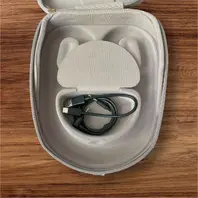
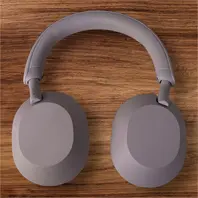
    The Sony WH-1000XM5 Wireless are the next generation of the Sony WH-1000XM4 Wireless. Released mid-2022, these over-ears have a new look that stands apart from their predecessor, thanks to their mostly recycled (and recyclable) design. Beyond appearance, Sony has also tweaked elements of their performance, like fine-tuning their XM4's boomy sound profile, improving their integrated mic's performance, and optimizing and automatizing the active noise cancelling (ANC) system.

    With two processors controlling eight microphones, Auto NC Optimizer for automatically optimizing noise cancelling based on your wearing conditions and environment, and a specially designed driver unit, WH-1000XM5 headphones with the best noise cancelling rewrite the rules for distraction-free listening and call clarity.


    Ratings

    These ratings are my personal opinion - Your Opinion maybe different than mine!

    Battery

    4 out of 5

    Quality

    5 out of 5

    Sound

    4 out of 5

    App

    3 out of 5


    Photos


    App Info

    Sony | Sound Connect is an app that helps you get the most out of your Sony headphones. Use the app to change equalizer and noise cancellation settings and enjoy sound tailored to your personal preferences.


    My Opinion

    Overall I'm very satisfied with these Earphones. I just had some difficulties with the app. When I wanted to update the firmware after I bought it I had to try about 20 times as the app always crashed.

    For setting my preferences etc. the app worked fine so far.

    Also, if someone has a smaller head It hink they might be uncomfortable. Also the new design is something you need to adapt as it's a big change to the old ones.

    Far more impressed I'm from the ANC on these headphones. I always used the Bose QuietComfort 35 II and was so far satisfied with them but they have their age now and so I decided to swap and i just can say WOW - What a difference.


    Some Specifications

    Battery charge time:
    Approx. 3.5 hrs (over USB-C)

    Battery Life (continuous music playback):
    Max. 30 hrs (NC ON) // Max. 40 hrs (NC OFF)
    During my test I had them in the office for 4 days with NC on - so about 10 hours the day on but not permantly with music or audio playing on them but always ANC on. My battery was than down to about 18% and I recharged them.

    Bluetooth:
    5.2 with a range of 10m
    In my test I compared them to my Bose headset. When I left my room at home they already started crackling (we have many interferences here) but with the Sony one I could even go to my lunch room and still no crackling or similar.

    Supported Audio Formats:
    SBC // AAC // LDAC

    Frequency Response:
    4 Hz → 40.000 Hz

    Driver Unit:
    30mm

    Weight:
    Approximately 250g


    Related links (non affiliate!)

    Amazon Germany
    Sound Connect (Apple)
    Sound Connect (Google)
    Sony UK
    Full Specifications @ Sony UK

  • Apple iPad Generation 10 - Pink

    • ISeeTWizard
    • 29 October 2025 at 12:36

    Rating
    4.7/5
    Excellent

    Introduction/Description

    As you may know English is not our maiden language and so sorry about missing and/or wrongly used words.

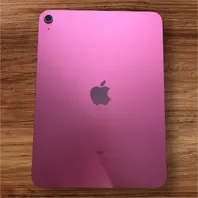
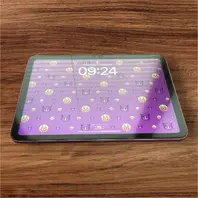
    To start easy I just unboxed our iPad and put some tempered glass on it.


    Photos


    Ratings

    These ratings are my personal opinion - Your Opinion maybe different than mine!

    Display Quality

    4 out of 5

    Installation Difficulty

    5 out of 5

    Device Speed

    4 out of 5

    Handling

    4 out of 5


    YouTube Video

    So here is our first video in English commented video
    Sorry for the sound quality - it's not the best - Next video we gonna use again our external microphones and not the one from the camera itself

    External Content youtu.be
    Content embedded from external sources will not be displayed without your consent.
    Through the activation of external content, you agree that personal data may be transferred to third party platforms. We have provided more information on this in our privacy policy.


    Specifications

    Part

    Details

    Display

    10,9" Liquid Retina Display
    2360-by-1640-pixel resolution at 264 ppi
    500 nits brightness

    Weight

    477g

    SOC

    A14 Bionic
    6-Core CPU / 4-Core GPU / 16-core Neural Engine

    RAM

    4GB

    Storage

    256GB

    Back Camera

    12MP Wide camera, ƒ/1.8 aperture

    Front Camera

    Landscape 12MP Ultra Wide camera
    ƒ/2.4 aperture

    WLAN

    Wi-Fi 6 (802.11ax) with 2x2 MIMO

    Bluetooth

    Bluetooth 5.2

    Speaker

    Landscape stereo speakers

    USB

    USB-C

    Pen

    Apple Pencil (USB-C)
    Apple Pencil (1. Generation)

    OS

    iPadOS 18

    Battery

    Built‐in 28.6‐watt‐hour rechargeable lithium‑polymer battery

    Additional info

    Touch ID
    USB-C port with support for:
    Charging
    DisplayPort
    USB 2.0 (up to 480 Mb/s)


    Opinion

    Overall I'm very satisfied with what I got for my price. I got it for 490,62€ instead of 559,44€. Unfortunately only the version without a power supply was available but I simple bought it apart.

    It was also easy to put on the tempered glass and to recover the date from the old iPad was ultra easy. I think everyone can do this as it is also well explained during the setup process.

    I just can always recommend an iPad if you ever need a tablet.

  • Microsoft XBox Series X

    • ISeeTWizard
    • 29 October 2025 at 12:25

    Rating
    4.6/5
    Excellent

    Introduction/Description

    The Xbox Series X and Xbox Series S are the fourth generation of consoles in the Xbox series. Released on November 10, 2020, the higher-end Xbox Series X and lower-end Xbox Series S are part of the ninth generation of video game consoles, which also includes Sony's PlayStation 5, released the same month. Both superseded the Xbox One.

    After a very long time I now decided to buy my own to see how this console works.


    Photos

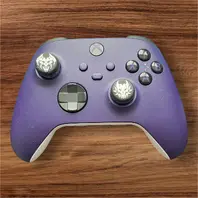
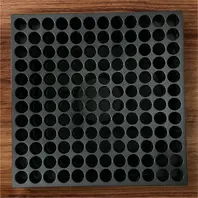
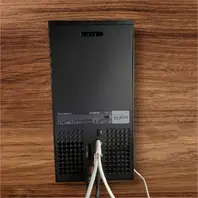
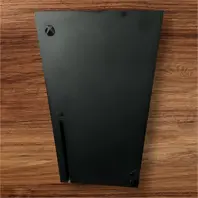
    On my photos you see one of the big problems, you have directly fingerprints on you console.
    I could have cleaned them away before taking the photo but I wanted to show that little problem.
    Also the controller on the photo is the additional one I bought.


    Ratings

    These ratings are my personal opinion - Your Opinion maybe different than mine!

    Installation Difficulty

    4 out of 5

    Performance

    4 out of 5

    Power Consumption

    3 out of 5

    Controller

    4 out of 5


    YouTube Video

    External Content youtu.be
    Content embedded from external sources will not be displayed without your consent.
    Through the activation of external content, you agree that personal data may be transferred to third party platforms. We have provided more information on this in our privacy policy.


    Opinion

    I must say that I'm very impressed about the performance of this console. Every game I tried runs so fluid.
    Even the installation was easy - you can even simply install it with your mobile phone.

    OK at the end you must adapt some settings like the 4K resolution and if you have a TV with HDMI 2.1, not like me, you can even set it to 120Hz.

    There is one negative point: The controller seems much less quality than the one from my XBox One S.
    The A button even get's stuck some times. So I bought another controller just to have a working one but I can confirm the lack of quality for those - at least here the buttons don't get stuck.

    I simply just can recommend this console but be aware to have enough controllers :face_with_tongue:


    Specifications

    Introductory price (2020)

    499€

    Media

    Ultra HD Blu-ray
    Blu-ray
    DVD
    CD
    Digital distribution

    CPU

    Custom AMD 8-core Zen 2
    3.8 GHz, 3.66 GHz with SMT

    Memory

    GDDR6 SDRAM
    10 GB/320-bit & 6 GB/192-bit (16 GB total)

    Storage

    WD SN530 NVMe SSD
    w/ custom ASIC supporting PCIe 4.0 x2
    1 TB

    Removable storage

    Seagate or Western Digital
    PCIe 4.0 Storage Expansion Card (up to 2 TB)

    Display

    720p
    1080p
    1440p
    4K
    8K

    Graphics

    Custom AMD Radeon RDNA 2 architecture
    52 CUs at 1.825 GHz, 12.155 TFLOPS

    Sound

    Custom Project Acoustics 3-D Audio
    Dolby Atmos
    DTS:X
    7.1 surround sound

    Controller

    Xbox Wireless Controller (all revisions)
    All previously released Xbox One-compatible controllers
    and accessories (except Kinect)

    Connectivity

    Wi-Fi IEEE 802.11ac
    Gigabit Ethernet
    3x USB 3.2 Gen 1x1
    HDMI 2.1

    Weight

    4,4 kg

    Backward compatibility

    All Xbox One games and
    selected Xbox 360 and original Xbox games

    There are 632 games that have been made backward compatible
    out of 2,155 that have been released for Xbox 360.

    There are currently 63 on this list out of 989 released for the Xbox.


    Link(s) - Non Affiliated!

    Amazon Germany

  • Rode Wireless Go 2 & Rode Central

    • ISeeTWizard
    • 29 October 2025 at 12:21

    Rating
    4/5
    Good

    Introduction/Description

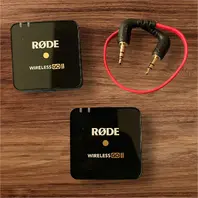
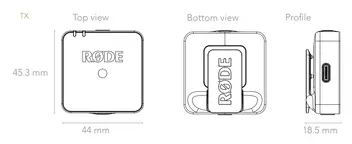
    The Wireless GO II is a versatile and ultra-compact dual channel wireless microphone system consisting of a dual channel receiver and two transmitters.


    Photos


    Ratings

    These ratings are my personal opinion - Your Opinion maybe different than mine!

    Installation Difficulty

    5 out of 5

    Performance

    4 out of 5

    Power Consumption

    4 out of 5

    Weight

    4 out of 5

    Desktop Software

    5 out of 5

    iPhone Software

    4 out of 5

    Background filtering

    1 out of 5


    YouTube Video

    External Content youtu.be
    Content embedded from external sources will not be displayed without your consent.
    Through the activation of external content, you agree that personal data may be transferred to third party platforms. We have provided more information on this in our privacy policy.


    Opinion

    These microphones are really great. I always used the first version of them but just with 1 channel. I already liked those. But as my wife joins much more often now and I needed one that I also can connect to my PC if needed I swapped them for the new 2.

    It's insane how they get improved and how many new features they have like split or joined channel, direct recording on the micro and so one.

    And of course, what is great too, is that I can connect over USB-C to my iPad, my PC etc. and it simply works.


    Specifications

    Introductory price (2023)

    349€

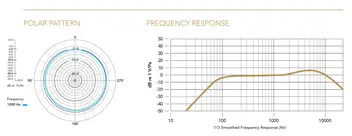
    Acoustic Principle

    Pre-polarised pressure transduce

    Polar Pattern

    Omnidirectional

    Frequency Range

    50Hz – 20kHz

    Maximum SPL (Mic)

    100 dB SPL (1kHz @ 1m) dBu

    Maximum Input Level (3.5mm)

    -20dBV

    Microphone Preamp Gain

    20dB

    Equivalent Noise Level (A-Weighted)

    22dBA

    Power Requirements

    In-built rechargeable lithium-ion battery
    charged via USB 5V, 0.3A

    Operating Time

    Up to 7 hours

    Analog Inputs

    3.5mm TRS (lavalier microphone input)

    Analog Outputs

    3.5mm TRS

    Transmission Range

    200m (line of sight)

    Computer Connectivity

    USB Type-C

    Operating System Requirements

    macOS 10.11 above
    Windows 10 and above

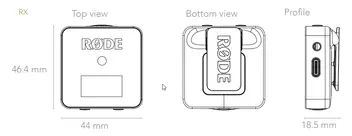
    Weight (grams)

    TX: 30g
    RX: 32g


    Link(s) - Non Affiliated!

    Amazon Germany

    RODE

  • Daan Tech BOB v10 - Mini Dishwasher

    • ISeeTWizard
    • 29 October 2025 at 12:12

    Rating
    4.6/5
    Excellent

    Introduction/Description

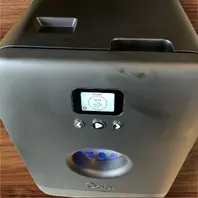
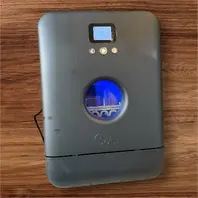
    Daan Tech was established in 2016 to design, manufacture and sell a range of devices and services to tackle the main challenges of the 21st century. Its first product is Bob the mini dishwasher, the world's most advanced autonomous and eco-friendly dishwasher.

    We now bought our second Bob and here is the resume about this new device as it changed hardware revision.


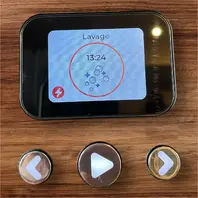
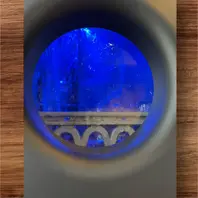
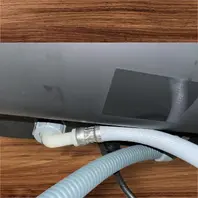
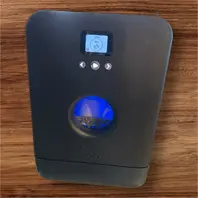
    Photos


    Ratings

    These ratings are my personal opinion - Your Opinion maybe different than mine!

    Installation Difficulty

    4 out of 5

    Performance

    4 out of 5

    Power Consumption

    4 out of 5

    Water Consumption

    4 out of 5

    Repairability

    5 out of 5


    YouTube Video

    External Content youtu.be
    Content embedded from external sources will not be displayed without your consent.
    Through the activation of external content, you agree that personal data may be transferred to third party platforms. We have provided more information on this in our privacy policy.


    Opinion

    The dish washer is very practical. It doesn't need much space and you have an express mode so you can let it run nearly every 20 minutes.

    Thanks to the POP cassettes even with this express mode the plates, forks, knives and what ever get's cleaned.
    I must admit that these cassettes are a bit expensive compared to the one you can buy in the normal store but it's worth it.
    You can use the tabs from the normal store too but not with the express mode as they don't have enough time to completely dissolve themselves.

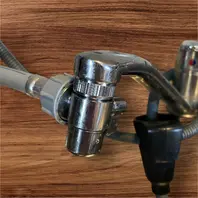
    Also the system with easytap is very practical. With that you can connect the water supply to your normal faucet and than it's very easy to fill the built-in tank.
    I had some difficulty to get this connection leakproof but at the end I managed it - I wasn't sure what sealing comes where as they were outside the easytap and so I did it wrong the first time connecting it. Unfortunately on the video they have you can't see very clear where such a sealing is or where not...

    What I also find very great are the different spare parts you can buy if you have issues outside the guarantee and they have for that very clear videos (not like for the easytap) on how you can exchange the piece and so on.

    I just can recommend Daan Tech with it's Bob and soon Joe - I already preordered this one but it will only be delivered by end of the year 2025. On reception we gonna do a video about it too.


    Specifications

    Introductory price (2023)

    about 499€ depending on color and accessories

    Water supply mode

    2 possibilities : built-in water tank OR
    connection to a conventional water supply

    Water Tank capacity

    3,9L

    Bob easywater supply hose outer diameter

    1,7 cm (head tip: 3.2 cm)

    Number of covers (place settings)
    according to European standard

    3

    Maximum plate sizes

    29cm

    Number of covers (place settings)
    according to use

    Daily tableware for 2 people: 4 plates, 4 glasses,
    2 cups, 2 bowls,
    a small saucepan or frying pan, nad cutlery
    (knives, forks, spoons)

    Basket accessories supplied

    Main basket, 1 plate module,
    1 cutlery module, 2 glass modules

    Use for professionals

    Yes, 10 minutes glasses mode
    (thanks to Bob extraglass option) and
    20 minutes Express mode

    Water consumption per Express cycle

    2,9L

    Water consumption per Glasses cycle

    1,3L

    Washing temperatures

    30-70°C

    Energy consumption per standard cycle

    0,43 kWh

    Power consumption in standby mode (door open)

    0.4 W

    Annual water consumption (standard cycle)

    1064 litres – 3,8L/cycle

    Energy efficiency class

    Bob.Custom/Premium: F
    Bob.Minimalist/Retro: G
    (according to EU standard 2017/1369)

    Interface

    320x240px color LCD screen

    Connectivity

    Wireless Wi-Fi

    Guarantee

    2 years

    Availability of spare parts

    11 years after purchase date

    Recycled materials

    Bob is made from more than 65% recycled and recyclable materials


    Link(s) - Non Affiliated!

    Daan Tech

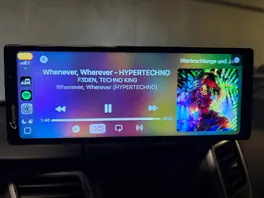
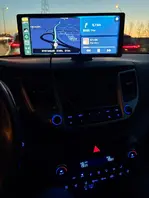
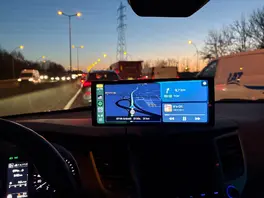
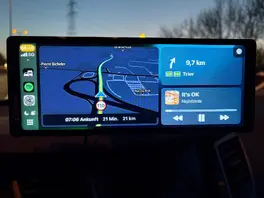
  • Carpuride W904

    • ISeeTWizard
    • 29 October 2025 at 10:23

    Rating
    4.2/5
    Good

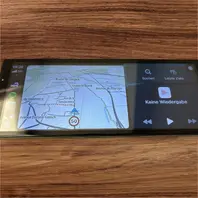
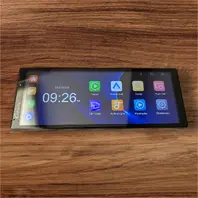
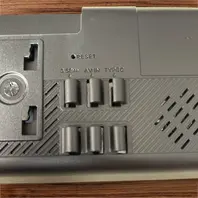
    Introduction/Description

    I have a Hyundai Tucson from 2018 and here was a Gen2 integrated radio without Apple or Google CarPlay. Suddenly, some weeks ago,I goit a message that my licence for the live services were expired. I was astonished as I just did a map update in January.

    After several investigations I found out that you get a 7 years and 3 month live services licence with your car and than that was it - you can't buy a new licence for that. So no weather forecast, traffic info etc.
    Further checking gave me the info that even the maps will not get any further update in the future.

    The option was to change the radio (the device costs nearly 2000€ and even more depending on the device of course) and the cables for my radio are specials and need to get exchanged for a newer version (so at the end it would cost me several thousand euros).

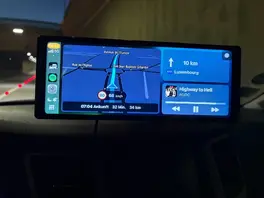
    That was than the point where I decided no thanks! I searched for an alternative and several years ago I already checked out Carpuride and other devices. After checking different reviews I decided to buy the Carpuride W904.

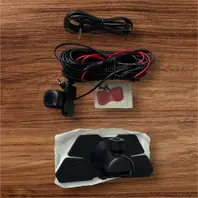
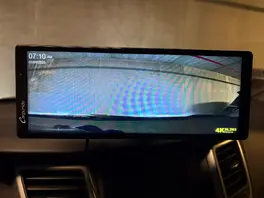
    This device has a dashcam, witch isn't allowed here in Luxembourg but in Germany an co it is. So I just need to remove the SD card here in Luxembourg so that nothing is recorded anymore and in the other countries I simply put it in again :smiling_face:


    Photos


    Ratings

    These ratings are my personal opinion - Your Opinion maybe different than mine!

    Installation Difficulty

    4 out of 5

    Performance

    4 out of 5

    Support

    4 out of 5


    YouTube Video


    External Content youtu.be
    Content embedded from external sources will not be displayed without your consent.
    Through the activation of external content, you agree that personal data may be transferred to third party platforms. We have provided more information on this in our privacy policy.


    Opinion

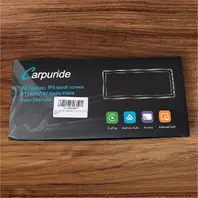
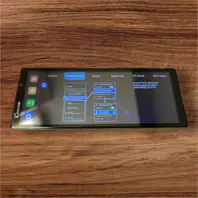
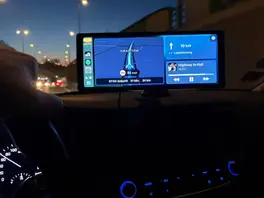
    I boxed out the device and switched it on and wow - just only a few seconds and it was ready.

    Also the Apple Carplay connection was ultra easy. You get all the info on screen on what you have to do to make it work.

    The performance is also great. The screen is very reactive. I just saw a small delay within Apple Carplay but with the apps from the device itself these aren't present.

    In the video I was too stupid to figure out how I get the TomTom Navigation App with the Spotify App together on the screen. It was too easy - It's directly build in Apple Carplay - Just need to hit the button at the bottom left lol.

    In general I'm very satisfied with what I get especially for the price I paid for it.

    I gonna test it the next days and if I see something special I gonna write it here too.


    As additional info you have 2 apps, Viidure and Evelink. Viidure is the app you need for live playback on your phone or for directly downloading videos to it that were recorded with the dashcam.
    On the device you have the explications on how it works (so download the app on your phone, start the app on the W904, connect to the W904 WiFi, and than start the app on your phone)

    Within the app you can create an account but it is not mandatory! Also you have a VIP membership with more options to your dashcam. The actual prices goes from 9,9€ for a year to 39,9€ for lifetime membership. Normally these prices are "much" more but still fair for what you get.

    THIS MEMBERSHIP IS NOT MANDATORY!!


    And last but not least I talk about the firmware. I was searching on how to update but couldn't find any info about it except if you need one you need to ask the support. They don't want that you brick your device.
    But I also found an option within the 2 apps to get a firmware update - so I'm not sure if that is how it should work. But I also asked that to the support.


    The support in itself seems to be very reactive as I wrote them on Saturday an this morning, Monday, I already have an answer. Like written in the text I asked for more info and if I get them I gonna post them to here.


    Specifications

    For the moment I couldn't find some.

    Also the info for the screen is unclear as on the label of my box it's written 9.x inch and on the Amazon page 10.x.

    I asked the support to get more info but I didn't get any...


    Link(s) - Non Affiliated!

    Amazon


    08/04/2025 - Additional Opinion & Support Experience

    I decided to add an additional point here after several mail exchanges with the support of this device.

    So first of all we can say it is very reactive and if you have simply 0815 questions they can help you. But if you have more specific questions, like the technical specifications, you can forget about it.

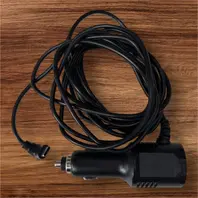
    Also I wanted to not use the delivered car adapter as the cable is simply to long for me and as it is fixed it can't be changed. So I asked the support and got the info I already read on their adapter: 5V 3A is needed.

    As result I bought an adapter which can deliver the requested power specifications but it didn't work. I bought an USB-C Adapter and a 1m USB-C to USB-C cable. As I didn't know the brand I thought maybe it's not strong enough even that it charges my phone. I reasked the support if they have something special about their adapter and they send me a photo of their adapter, the one I have, and the info 5V 3A.

    At the end I than bough an adapter from Ugreen an tried again USB-C to USB-C and it didn't work. But as I wasn't that stupid I bought an Adapter which has USB-C and USB-A Output and so I tried the USB-A with an USB-A to USB-C cable and tada it worked.

    So they are using the normal USB standards and not the USB-C standards and I think that a support should know this...

    Than I also miss an option to completely deactivate the dashcam at start - so that I can activate it in countries where it is allowed and deactivate it in the others. The response from the support: remove the SD card. At least they think about giving the request to their developer.

    And at the end I can't see the videos on my phone without rebooting the device as it directly turns on Carplay mode and you must be in the Live Video mode. This can only be swapped at the boot and if you are fast enough to swap before Carplay is running. Here another option would be welcome too.

    So this my additional opinion and support experience.

    Images

    • IMG_3392-scaled.webp
      • 67,07 kB
      • 1.600 × 1.200
  • Computer Classics

    • ISeeTWizard
    • 28 October 2025 at 13:50

    kHz → Kiloherz // MHz → Megaherz // GHz → Gigaherz
    kB → Kilobyte // MB → Megabyte
    kg → Kilogramm
    1 Kilobyte = 1024 Bytes!!!
    $ → US Dollar


    Name

    Launch Year

    CPU Speed

    RAM Size

    Weight

    Price at Launch

    ACT Apricot Portable

    1984

    4,77 MHz

    256 kB

    5,8 kg

    2600

    Apple I

    1976

    1,023 MHz

    4 kB

    3 kg

    666,66 $

    Apple II

    1977

    1,023 MHz

    4 kB

    8,16 kg

    1298 $

    Apple IIc

    1988

    1,023 MHz

    128 kB

    3,4 kg

    1295 $

    Apple IIe

    1983

    1,02 MHz

    64 kB

    5,5 kg

    1400 $

    Apple IIGS

    1986

    2,8 MHz

    256 kB

    3,95 kg

    999 $

    Apple iPhone 1

    2007

    412 MHz

    128 MB

    0,135 kg

    499 $

    Apple iPhone 3GS

    2009

    600 MHz

    256 MB

    0,135 kg

    199 $

    Apple iPod 1s Generation

    2001

    180 MHz

    32 MB

    0,185 kg

    399 $

    Apple iPod Photo (40/60)

    2004

    160 MHz

    32 MB

    0,182 kg

    499 $

    Apple Lisa

    1983

    5 MHz

    0,5 MB

    15,2 kg

    9995 $

    Apple Newton Message Pad

    1993

    20 MHz

    1 MB

    0,64 kg

    700 $

    Apple Power MAC G4

    1999

    1 GHz

    265 MB

    19,1 kg

    3499 $

    Apple Power MAC G4 Cube

    2000

    450 MHz

    128 MB

    6,4 kg

    1799 $

    Atari 400

    1979

    1,79 MHz

    8,0 kB

    2,3 kg

    549 $

    Commodore Amiga 500

    1987

    7,1 MHz

    512 kB

    3,5 kg

    699 $

    Commodore C64

    1982

    0,98 MHz

    64 kB

    1,82 kg

    595 $

    Commodore PET 2001

    1977

    1,0 MHz

    8,0 kB

    23 kg

    795 $

    Compaq Portable

    1983

    4,77 MHz

    128 kB

    12,5 kg

    3590 $

    DAG MP Lernsystem

    1988

    2 MHz

    16 kB

    1,5 kg

    2000 $

    eMate 300

    1997

    25 MHz

    3 MB

    1,9 kg

    799 $

    Heathkit H8

    1977

    2 MHz

    4 kB

    3 kg

    375 $

    Heathkit Hero 1 #ET-18

    1982

    1 MHz

    4 kB

    17,7 kg

    2200 $

    HP 9830A

    1972

    <0,001

    2,0 kB

    16 kg

    5975 $

    IBM 5120

    1980

    1,8875 MHz

    32,0 kB

    48 kg

    9340 $

    IBM 5150 PC

    1981

    4,77 MHz

    64,0 kB

    15 kg

    3000 $

    iMac G3 bondi blue

    1998

    233 MHz

    32 MB

    18,1 kg

    1299 $

    iMac G4

    2002

    700 MHz

    128 MB

    9,7 kg

    1299 $

    Macintosh 128k

    1984

    7,83 MHz

    128 kB

    7,5 kg

    2495 $

    Macintosh IIfx

    1990

    40 MHz

    4 MB

    10,9 kg

    8970 $

    Macintosh Portable

    1989

    16 MHz

    1 MB

    7,1 kg

    6500 $

    Nextcube

    1988

    25 MHz

    8 MB

    17 kg

    6500 $

    Nokia Communicator 9210

    2001

    52 MHz

    8 MB

    0,25 kg

    899 $

    Olivetti Programma P101

    1965

    <0,001

    0,24 kB

    35 kg

    3750 $

    Olympia Boss

    1980

    4 MHz

    64 kB

    13 kg

    4040

    Osborne 1

    1981

    3,5 MHz

    64 kB

    10,2 kg

    1795 $

    Psion Organizer

    1984

    0,92 MHz

    2 kB

    0,25 kg

    185 $

    Radio Shack Model III (TRS-80)

    1980

    2,0 MHz

    4,0 kB

    20 kg

    2495 $

    Rockwell AIM-65

    1976

    1 MHz

    1 kB

    1 kg

    375 $

    Schneider CPC 464

    1985

    4 MHz

    64 kB

    2,4 kg

    710 $

    Sharp MZ-80K

    1979

    2 MHz

    16 kB

    13 kg

    2220 $

    Sharp Pocket PC 1260

    1983

    768 kHz

    4 kB

    0,118 kg

    90 $

    Sinclair ZX81

    1981

    2,5 MHz

    1 kB

    0,35 kg

    150 $

    Wang 700

    1971

    <0,001

    1,0 kB

    17 kg

    5200 $

  • VGA - Video Graphics Array

    • ISeeTWizard
    • 28 October 2025 at 13:46

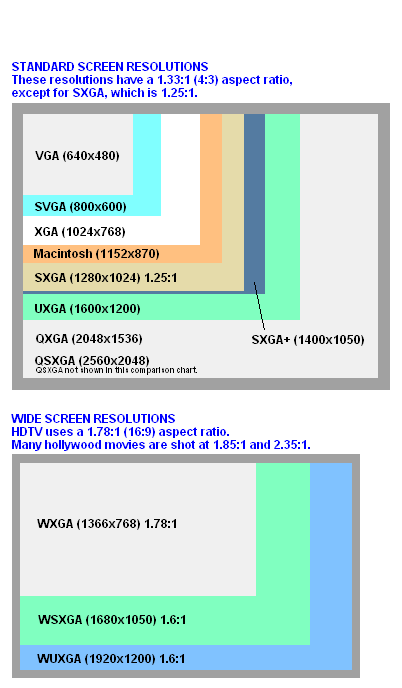
    A graphics card, video card, v card, video board, video display board, display adapter, video adapter, or graphics adapter is a computer component designed to convert the logical representation of visual information into a signal that can be used as input for a display medium. Displays are most often a monitor, but use of LCD TV, HDTVs, and projectors is growing increasingly common with the growth of the media center computer concept. The graphics card and display medium are able to communicate utilizing a variety of display standards. Graphics cards are both integrated into motherboards, and sold as expansion cards.

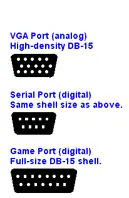
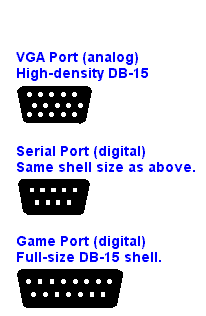
    VGA uses an analog monitor, and PC display adapters output analog signals. All CRTs and most flat panel monitors accept VGA signals, although flat panels may also have a DVI interface for display adapters that output digital signals.

    Generic Socket or Specific Resolution
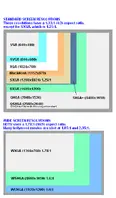
    VGA may refer to the 15-pin VGA socket on a PC in general in order to contrast it with a digital DVI socket for flat panels. Or, VGA may refer only to the original VGA resolution of 640x480 and 16 colors. This base resolution is only used when booting the PC in Safe Mode and may also be the maximum resolution for small screens on handheld devices.

    VGA History
    VGA was introduced on IBM's PS/2 line in 1987 and quickly obsoleted the earlier CGA and EGA display interfaces, which were actually digital, but with lower resolution. In a short time, non-IBM vendors boosted the base resolution and colors to so-called "Super VGA." Over the years, resolution has been extended way beyond the original specification.


  • SD Cards

    • ISeeTWizard
    • 28 October 2025 at 13:45

    There are many different classes etc. for SD cards and here I collect the data over it on one page

    First, there was the speed class, which went from Class 2 to Class 10. Then there was the UHS Speed Class, where the cards fall into either U1 or U3. More recently, there’s a newer system, the Video Speed Class, that uses categories like V30, V60, and V90.

    And now the SD Association has come out with a new rating system specifically to categorize suitability for SD and microSD cards in application-heavy uses. It’s known as the Application Performance Class Specification, and it’s written in the form of A1 or A2.

    So, we start with these first

    Application Performance Class

    Application Performance Class

    Pictograph

    Minimum Random Read

    Minimum Random Write

    Minimum Sustained Sequential Write

    Class 1 (A1)

    1500 IOPS

    500 IOPS

    10 MB/s

    Class 2 (A2)

    4000 IOPS

    2000 IOPS

    10 MB/s


    Speed Class

    Speed Class

    Minimum Sequential Write Speed

    2

    2 MB/s

    4

    4 MB/s

    6

    6 MB/s

    8

    8 MB/s

    10

    10 MB/s


    UHS Speed Class

    UHS Speed Class

    Minimum Sequential Write Speed

    1

    10 MB/s

    3

    30 MB/s


    Video Speed Class

    Video Speed Class

    Minimum Sequential Write Speed

    V6

    6MB/s

    V10

    10MB/s

    V30

    30MB/s

    V60

    60MB/s

    V90

    90MB/s


    x Speed Factor

    Some manufacturers, like Lexar, also set an X Speed on their cards. To better have an overview of them here also a small table about it.

    x Speed Factor

    Minimum Sequential Write Speed

    100x

    15 MB/s

    120x

    18 MB/s

    133x

    20 MB/s

    150x

    23 MB/s

    200x

    30 MB/s

    400x

    60 MB/s

    600x

    90 MB/s

    633x

    95 MB/s

    1000x

    150 MB/s

    1400x

    210 MB/s

    1800x

    270 MB/s

    2000x

    300 MB/s

    2500x

    375 MB/s

    3000x

    450 MB/s

    4000x

    600 MB/s

    5000x

    750 MB/s


    SD Card Bus Type

    But pay attention that there is a UHS bus type too which is not to be compared with UHS speed...

    SD Card Bus Type

    Maximum Speed

    UHS-I

    104 MB/s

    UHS-II

    312 MB/s

    UHS-III

    624 MB/s

    SD Express

    985 MB/s

    There is a certain amount of backwards compatibility between UHS-I and UHS-II. You can use either card type in any camera or SD card reader that accepts an SD card. The critical thing to understand is that both the device and the SD card must be UHS-II compatible if you want to unlock the additional speed benefits of the UHS-II interface.


    Types of SD Card

    SD Card Type

    Capacity

    SD

    128 MB → 2 GB

    SDHC

    4 GB → 32 GB

    SDXC

    64 GB → 2 TB

    SDUC

    up to 128 TB


    What do you need?

    At the end we just need to mention what speed you need for what :smiling_face:

    I just mention the starting speed - all above is of course better


    8k Video → 30 MB/s → U3 → V30

    4k Video → 6 MB/s → Speed Class 6

    1080p Video → 4 MB/s → Speed Class 4

    Standard Video → 2MB/s → Speed Class 2


    So, as you see if you only have cards with Speed Class x you can't record 8k videos as example but should be enough, starting at class 6, for 4k videos. Of course, I recommend using U3 / V30 cards for 4k recording to be sure.

  • Bluetooth

    • ISeeTWizard
    • 28 October 2025 at 13:24

    Radio frequency = 2,4GHz

    Version

    Year

    Classic
    Rate

    Low Energy
    Rate

    Range

    More info

    1.0

    1999

    732,2 Kb/s

    N/A

    10 m

    The first Bluetooth specs.
    There were deployment issues that kept BT from gaining ground quickly.

    1.1

    2001

    732,2 Kb/s

    N/A

    10 m

    Improvements to reliability and interoperability
    mostly backward compatible but not 100%.

    1.2

    2003

    1 Mb/s

    N/A

    10 m

    BT 1.2 (Basic Data Rate) was the first widely used Bluetooth technology.
    Adaptive frequency hopping (AFH) helped avoid interference with Wi-Fi and other technologies in the same frequency.
    Pairing speed was improved.

    2.0

    2004

    2.1 MB/s

    N/A

    10 m

    Branded as Bluetooth 2.0 + EDR (Enhanced Data Rate), three bit encoding (versus one) increased the data rate from 1 to 3 Mbps (in practice 2.1 Mbps).
    Interference handling was improved, and less power was used.

    2.1

    2007

    2.1 MB/s

    N/A

    10 m

    Secure Simple Pairing (SSP) was added to make pairing faster and more secure.
    Encryption was made mandatory, security was improved, and less power was used.

    3.0

    2009

    24 MB/s

    N/A

    10 m

    Branded as Bluetooth 3.0 + HS (High Speed), it started the connection via Bluetooth but transmitted data over Wi-Fi.

    4.0

    2009

    3 Mb/s

    1 Mb/s

    60 m

    Introduced low-power Bluetooth Low Energy, branded as "Bluetooth Smart."

    4.1

    2013

    3 Mb/s

    1 Mb/s

    60 m

    More efficient data exchange and better co-existence with LTE frequencies. BT 4.1 maintains connections with less manual intervention, and devices can be both client and hub at the same time, enabling Bluetooth devices to communicate with each other.
    Prior to BT 4.1, devices transmitted to a hub either built into the computer or in a stand-alone dongle.

    4.2

    2014

    3 Mb/s

    1 Mb/s

    60 m

    Designed for the Internet of Things (IoT), BT 4.2 increased the payload size in the Bluetooth packet by 10x, dramatically lowering the overhead to yield 2.5 times more data.
    The low-power wireless personal area network (WPAN) version of IPv6 (6LoWPAN) is supported, which enables billions of devices to have a unique IP address.
    It also supports beacon privacy, which prevents retail shops from sensing a user's presence

    5.0

    2016

    50 Mb/s

    2 Mb/s

    240 m

    A more robust version with extended battery life, BT 5 increased the outdoor transmission range from 50 to 200 meters.
    Location services are enhanced because it can convey more information prior to establishing a connection.
    The first smartphones to support BT 5 were the Galaxy S8 and iPhone 8 and X.

    5.1

    2019

    50 Mb/s

    2 Mb/s

    240 m

    More antennas provide greater tracking accuracy, and generic attribute (GATT) profile caching makes pairing quicker by retraining requirements.

    5.2

    2020

    50 Mb/s

    2 Mb/s

    240 m

    LE power control (LEPC) provides adjustable power that can be requested by peer devices. The enhanced attribute protocol (EATT) enables parallel operations between LE clients and servers.

    5.3

    2021

    50 Mb/s

    2 Mb/s

    240 m

    An incremental upgrade, Version 5.3 adds more stability, security and efficiency. Peripherals can list preferred channels with a central device. Previously, only the central device could set channels.

    5.4

    2023

    50 Mb/s

    2 Mb/s

    240 m

    The adoption of version 5.4 of the Bluetooth core specification brings a new set of exciting features available for Bluetooth products and all the advantages they provide.
    Two of the major improvements are Periodic Advertising with Responses (PAwR) and Encrypted Advertising Data.
    Together, they enable connectionless, bidirectional, secure communication with thousands of very low-power end nodes in the star topology.

    6.0

    2024


    3 Mb/s

    300 m

    Bluetooth technology is constantly growing, not only enhancing existing applications but also enabling entirely new use cases through performance improvements and expanded feature sets.
    On September 3, 2024, the Bluetooth Special Interest Group (SIG) unveiled the latest version of Bluetooth® Core Specification v6.0 (Bluetooth® Core 6.0).

  • Acasis 40 Gbps TBU 405 Pro

    • ISeeTWizard
    • 28 October 2025 at 13:21

    Rating
    4.6/5
    Excellent

    Introduction/Description

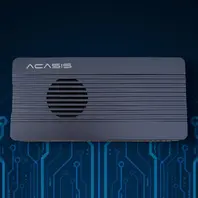
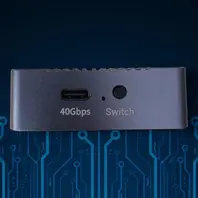
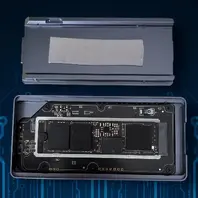
    ACASIS TBU 405 Pro M1 40Gbps M.2 Nvme SSD Enclosure with Cooling Fan for M1 M2 Pro / Max 2280 B+M M-Key SSD

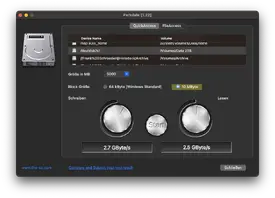
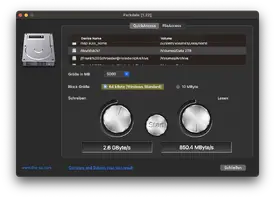
    • 【40Gbps Lightning-Fast Speed】Achieve read/write speeds up to 2805MB/s/2734MB/s with the ACASIS 40Gbps NVMe enclosure, tested using for Samsung 980 EVO Plus on for MacBook Pro (speeds may vary across systems).
    • 【Advanced Cooling System】Features an integrated cooling fan and ventilation holes in the aluminum alloy casing for superior heat dissipation, ensuring optimal performance.
    • 【Intel Certified JHL7440 Chip】Dual-chip control offers enhanced stability, reliability, and improved heat management, fully compatible with Thunderbolt 3/4 and USB 4/3.2/3.1/3.0/2.0.
    • 【Wide Compatibility】Supports M1 Pro/Max for Mac devices, for iPad Pro, and is compatible with Windows, for macOS, and Linux operating systems, meeting diverse work and daily needs.
    • 【Travel-Friendly Design】Compact and portable, the TBU 405 PRO easily fits in handbags or pockets, ideal for travel and business trips.


    Photos


    Ratings

    These ratings are my personal opinion - Your Opinion maybe different than mine!

    Installation Difficulty

    5 out of 5

    Performance

    5 out of 5

    Noise

    5 out of 5


    YouTube Video

    N/A


    Opinion

    As I needed a fast enclosure for my new Mac Mini I first went the way to a dock and the result was a disaster. Out of possibilities I wanted a case which I could trust and of course is reliable (I watched a lot of videos and read already many reviews before buying it).

    So I decided to go with 40Gbps version of Acasis - yes there is an 80Gbps but it's much more expensive and I don't think that I'm in need of it.

    So installing my SSD was superfast and easy (used an WD Black SN850X 2TB) and so the testing could begin.

    First of all I wanted to see how loud the fan would go an as I didn't hear anything I pushed the button and nothing changed - I already thought oh no it's not working but I put my ear besides the air out slots and I heard the fan; It's so quiet - it's incredible and already in head of the test the case stays cold (not ice cold lol but you can touch the case and it's lukewarm not so extremely hot as the dock was).

    After that I tested the speed I was impressed - my SSD got nearly 3000MB/s in write speed on my Mac Mini M4 Pro. I installed some apps on it, have a VM running from it and so on and everything is running very fast and the case stays cool thank to the cooler.

    A real good case that I simply just can recommend.

    So why just 4,5 stars in the overall rating? It's very simple: there is a button to switch on or off the fan but you have no LED or so that tells you if it is on and as the fan is so quiet you don't know how the actuel status is.


    Specifications

    • Model: TBU 405 Pro M1
    • Interface: USB 4.0 (compatible with Thunderbolt 4/3, USB 3.2/3.1/3.0/2.0)
    • Maximum Transfer Speed: 40Gbps
    • SSD Compatibility: M.2 NVMe SSD (2230 2242 2260 2280 B+M M-Key)
    • Maximum Supported Capacity: 8TB
    • Cooling: Built-in fan with on/off switch
    • Casing Material: Aluminum alloy
    • OS Compatibility: for macOS, Windows, Linux
    • Device Compatibility: M1 Pro/Max for Mac devices, for iPad Pro
    • Size: 14.60cm * 10.00cm * 4.00cm
    • Weight: 347g

    Thermal pad and screen driver included


    Link(s) - Non Affiliated!

    Amazon

  • Mac Mini M4 Pro

    • ISeeTWizard
    • 28 October 2025 at 11:35

    Rating
    4.5/5
    Excellent

    Introduction/Description

    At just five by five inches, the Apple Mac mini is less than half the size of the previous Mac mini. The compact Mac mini has a small footprint in your workspace and its lightweight design makes it easy to move, mount, and rack. Now housing the powerful M4 Pro 12-Core chip, the Mac mini delivers up to 1.8x faster CPU performance and 2.2x faster GPU performance over the M1 model. Add 64GB of unified RAM, 4TB of storage, Wi-Fi 6E, and Thunderbolt 5, the Mac mini is a tiny powerhouse. The Mac mini also features Apple Intelligence, the personal intelligence system that transforms the way you express yourself, all while protecting your privacy. As Apple's first carbon neutral Mac, the Mac mini has seen over 80 percent reduction in greenhouse gas emissions across its materials, manufacturing, transportation, and customer use.

    This Mac comes preloaded with macOS. Updates can be downloaded for free via the Mac App Store. Please check Apple's website for upgrade eligibility. Also, please note that a keyboard and mouse are not included.


    Photos


    Ratings

    These ratings are my personal opinion - Your Opinion maybe different than mine!

    Installation Difficulty

    4 out of 5

    Performance

    5 out of 5

    Connectivity

    3 out of 5

    Noise

    5 out of 5

    Games

    4 out of 5

    Windows Games (Crossover)

    4 out of 5


    YouTube Video

    N/A


    Opinion

    I must say I'm very impressed of the speed of this little machine and the best is that it doesn't make fan noises. At my installation I can't even here the fan working.

    The installation was very easy and the build quality is Apple like perfect.

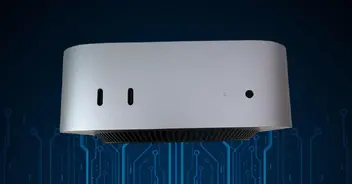
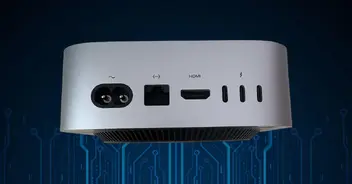
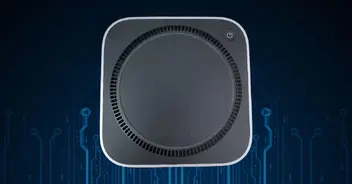
    What I don't like is that there are only 3 TB5 connections in the back and 2 USB-C 10 Gbps connection in the front. No USB-A or so. In addition the speaker connector is on the front which I think is really stupid but not as stupid as putting the power on button under the case.

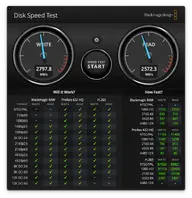
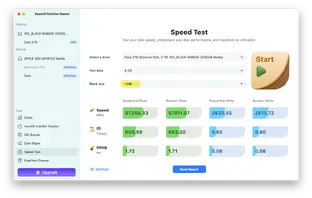
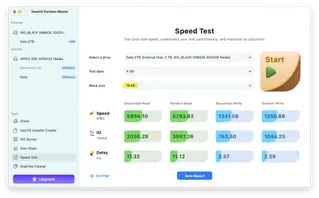
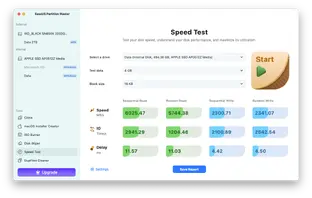
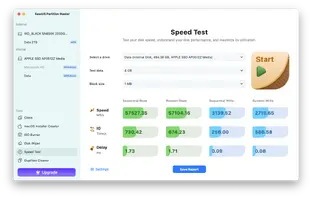
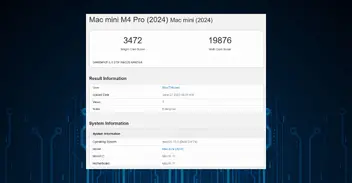
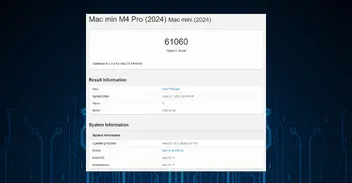
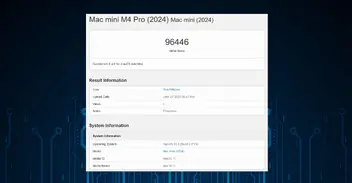
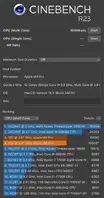
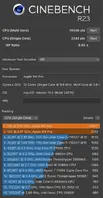
    Under the photos you'll find Geekbench & Cinebench results as well as the results of the internal SSD speed.

    I tested several Windows game trough Crossover and most of the time they worked. Some didn't and I need to change some settings manually but at the end they run and that really good.

    The only one who makes trouble is the Battle.net launcher - it takes up to 30 minutes for him to start but when started you can play your games with it without a problem (this problem seems to be solved by now but as it was already once gone and came back I leave this info here).

    Of course, games developed for Apple are running smooth without any issues which is normal due to the M4 Pro chip.

    Overall I'm more than satisfied that I bought this one instead of a Windows machine and maybe I even gonna stay with this one as main machine - the future will show it.


    Specifications

    • 12-core CPU with 8 performance cores and 4 efficiency cores
    • 16-core GPU
    • Hardware-accelerated ray tracing
    • 16-core Neural Engine
    • 273GB/s memory bandwidth
    • Hardware-accelerated H.264, HEVC, ProRes, and ProRes RAW
    • Video decode engine
    • Video encode engine
    • ProRes encode and decode engine
    • AV1 decode
    • 24GB unified memory
    • 512GB SSD (pay attention that this is a special Apple version and not a real SSD)
    • Up to three displays: Three displays with up to 6K resolution at 60Hz over Thunderbolt or HDMI
    • Up to two displays: One display with up to 6K resolution at 60Hz over Thunderbolt and one display with up to 8K resolution at 60Hz or 4K resolution at 240Hz over Thunderbolt or HDMI
    • Support for native DisplayPort 2.1 output over USB‑C
    • Support for one display with up to 8K resolution at 60Hz or 4K resolution at 240Hz (M4 and M4 Pro)
    • Built-in speaker
    • 3.5 mm headphone jack with advanced support for high-impedance headphones
    • HDMI port supports multichannel audio output
    • Two USB-C ports with support for USB 3 (up to 10Gb/s)
    • 3.5 mm headphone jack
    • Gigabit Ethernet port
    • HDMI
    • 3 * TB5: Thunderbolt 5 (up to 120Gb/s) // USB 4 (up to 120Gb/s) // DisplayPort
    • Wi-Fi 6E (802.11ax)
    • Bluetooth 5.3
    • Height: 5.0 cm
    • Width: 12.7 cm
    • Depth: 12.7 cm
    • Weight (M4 Pro): 0.73 kg
    • Maximum continuous power: 155W


    Link(s) - Non Affiliated!

    Amazon

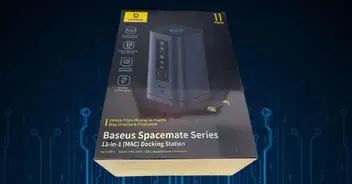
  • Baseus Spacemate Mac - 11 in 1 Docking Station

    • ISeeTWizard
    • 28 October 2025 at 11:25

    Rating
    4.2/5
    Good

    Introduction/Description

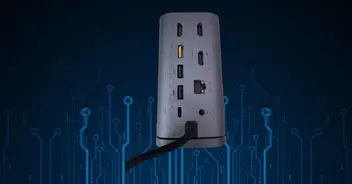
    • 【Excellent 11-in-1 Connectivity】: This USB-C docking station for MacBook is equipped with 2 DisplayLink HDMI ports, 1 ALT Mode HDMI port, a USB-C 10Gbps data port, 2 USB-A 10Gbps data ports, 2 USB-A 480Mbps data ports, a 100W USB-C PD input port, a Gigabit IT Ethernet connection and a 3.5mm AUX jack to satisfy all your expansion needs at once and increase productivity and work efficiency.
    • 【Support for Multiple Displays for Mac】Seamlessly expand your workspace to three screens and maximise productivity and creativity. With the DisplayLink chip specially designed for macOS, our laptop docking station is compatible with all M1/M2/M3 MacBook and Windows laptops.
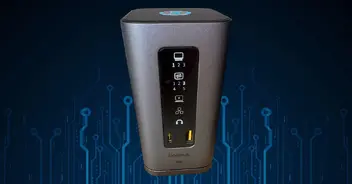
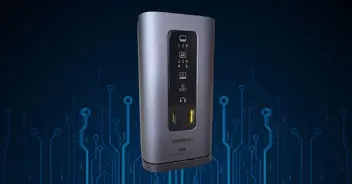
    • Upright design with magnetic base, easy to set up and connect/remove cables. The integrated LED digital display shows you the connection status of each port. With the screen lock, you can lock the screen at any time to protect sensitive information you don't want to share.
    • With the USB 3.2 Gen 2 ports (1 USB-C and 2 USB-A), you can achieve transfer speeds of up to 10 Gbps and can transfer 20 GB files in 20 seconds. Enjoy a more stable connection to your mouse and keyboard with two USB-A data ports at 480 Mbps.
    • Maximum power consumption of 100 W with the USB-C PD port. The docking station supports charging up to 3 monitors and allows you to pass the charge to your laptop with an output power of up to 85W. This makes it possible to fully charge any USB-C laptop in no time. Note: Power cord and power adapter are not included.


    Photos


    Ratings

    These ratings are my personal opinion - Your Opinion maybe different than mine!

    Installation Difficulty

    4 out of 5

    Connectivity

    4 out of 5

    Manual

    2 out of 5


    YouTube Video

    N/A


    Opinion

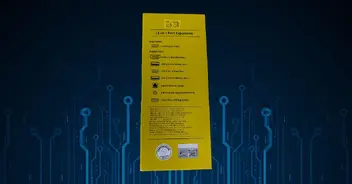
    Very important: If you have a Mac you need to buy the Mac version of this docking station
    Important: If you have FileVault activated the driver for the sceen can't be loaded - this is very problematic if you wanted to just connect your screens on the docking station but not if, like me, you just connect 1 screen on the Mac and one on the docking station.
    The solution here is to use the HDMI 3 Output on the docking as this one operates in DP Alt Mode and doesn't make use of the Displaylink driver - but again this is just for 1 screen (or 2 if you use the connection on the Mac itself.
    Important: If you want to use multiple ports/screens on the docking station it is recommended to use an external power source (100W max / 87W recommended) - it is not contained within the package!


    And now to my opinion lol
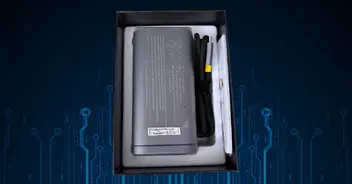
    Already during the unpacking I noticed a very good quality which suprised me as I once bought a power bank from Baseus and this was the worst one I ever had - used twice and already return to sender...

    But here we are with the docking. First of all you need to install a Displaylink driver. Here I than saw an option to activate the screen on the login screen which I installed (it's a separate extension). I rebooted and no second screen. So I checked the net as nothing was mentioned in the manual and found out that when using the Displaylink HDMI ports when the Filevault is active on your Mac the driver can't be loaded and so during login there is no image.

    In the manual I saw that the HDMI3 was mentioned as DP Alt Mode and connecting it to this one helped, Filevault can be active as on HDMI3 no driver is needed - this should be mentioned in the manual.

    Also when you check on Amazon with their AI it tells you that you need a power supply of 100W as mentioned in the manual. At the end, when I got the docking, it's recommended if you use multiple ports but it's not mandatory.

    For me I'm missing an SD card reader and at least an additional USB-A High Speed port at the back - maybe going to a Thunderbolt 4 or 5 connection would have been an idea for that but than the price would even be higher. This is also another point, the price, why is the Mac version so much more expensive than the Windows one - in the base it's exactly the same device.

    The idea with gluing the base of the docking on your table and have the docking attached by magnets is really great - Never saw one docking yet with such an idea.
    As my table is old and will be replaced in the near future I didn't glued it yet but when I see already the strenght of the magnets...

    Great is also of having finally an audio an the back as the Mac Mini only has one in the front.

    A nice to have is also the LED Panel in the front - here you see which ports are used at the moment - again a very good an smart idea.

    And last but not least another nice to have feature is the lock button on the top - unfortunately for the Mac you need to tap it twice but on Windows only once to lock your session.

    So overall I'm very satisfied with this product - some points like the manual could be much better and in my eye, like mentioned, some more ports would have been even better.

    Now I just hope it will not stop working in several days - unfortunately I had a very bad experience with Baseus and so I never wanted a product from them again but I thought this time come on let's give it another try.


    Specifications

    Input Port: USB-C
    Output Ports:
    HDMI Output Ports:
    HDMI 1: USB Graphics Card Display (Displaylink), 4K@60Hz (Max.)
    HDMI 2: USB Graphics Card Display (Displaylink), 4K@60Hz (Max.)
    HDMI 3: DP Alt Mode, 4K@60Hz (Max.)
    USB-A 3.2×2: 10Gbps (Max.)
    USB-C 3.2×1: 10Ghps (Max.)
    USB A 2.0×2:480Mbps (Max.)
    USB-C (PD) x1: 100W input (Max.)
    Gigabit Ethernet
    3.5mm Audio

    Link(s) - Non Affiliated!

    Amazon

  • Apple TV 4K A2843 (2022)

    • ISeeTWizard
    • 28 October 2025 at 11:21

    Rating
    4.7/5
    Excellent

    Introduction/Description

    • With the included Siri remote (3rd generation) with USB-C you can easily control your Apple TV 4K with the touch-based clickpad or just your voice. Use the Apple TV 4K as a smart hub to connect and control all your smart home accessories.
    • The Apple TV 4K (WLAN) comes with 64GB memory and the Apple TV 4K (WLAN + Ethernet) comes with 128GB memory and thread network support.
    • Incredible power with the A15 Bionic chip
    • Siri Remote brings precise control with a touch-enabled clickpad
    • Apple Original shows and movies from Apple TV+
    • The latest shows, movies, sports, and live TV, all in one place
    • More ways to enjoy your TV with Apple Arcade, Apple Fitness+, and Apple Music
    • Use AirPlay to share photos, videos, and more from your iPhone, iPad, and Mac on your TV
    • Private listening with up to two sets of AirPods
    • Pair with HomePod mini for hands-free control with Siri


    Photos


    Ratings

    These ratings are my personal opinion – Your Opinion maybe different than mine!

    Installation Difficulty

    4 out of 5

    Connectivity

    4 out of 5

    [ratingbar=0]Manual - none available[/ratingbar]


    YouTube Video

    N/A


    Opinion

    Pay attention that no HDMI cable is included in the package!

    I bought a “new” Apple TV 4K as I needed one – maybe in some month their will be a newer model as this one here has alredy 3 years but who cares. I needed it now and not in 5 month :face_with_tongue:

    So as always the setup of the Apple TV didn’t work over the iPhone – I thought maybe this problem was due my old device but no, even the last version of the Apple TV with actuel OS does it – at the moment when I need to enter my password I simply get an unknown error – but setting it up manually works very well.

    What I really really HATE is the fact that in german they think they must impose use there gendering shit!! I don’t want that on my devices! It should be possible to have it but not imposing it!

    For the rest as usual with Apple setup worked well, recognized well that my TV supports Dolby Vision and Dolby Atmos. Easy as always and it simply works.

    You just need to update your system to the latest TVOS and of course set it up with your preferences.

    The connectivity is really put to the minimum: power, LAN, HDMI and that’s it.


    Specifications

    • Height: 31 mm
    • Width: 93 mm
    • Depth: 93 mm
    • Weight: 214 g
    • 128GB
    • HDMI 2.1
    • Wi‑Fi 6 (802.11ax) with 2×2 MIMO
    • Bluetooth 5.0 wireless technology
    • IR receiver
    • Built-in power supply
    • Thread networking technology
    • Gigabit Ethernet
    • A15 Bionic chip
    • SDR video with AVC/HEVC (Main/Main 10 profile) up to 2160p, 60 fps
    • Dolby Vision (Profile 5) up to 2160p, 60 fps
    • HDR10+/HDR10/HLG with HEVC (Main 10 Profile) up to 2160p, 60 fps
    • H.264 Baseline Profile level 3.0 or lower with AAC-LC audio up to 160 Kbps per channel, 48kHz, stereo audio in .m4v, .mp4, and .mov file formats
    • MPEG-4 video up to 2.5 Mbps, 640 by 480 pixels, 30 fps, Simple profile with AAC-LC audio up to 160 Kbps, 48kHz, stereo audio in .m4v, .mp4, and .mov file formats
    • HDMI Quick Media Switching (QMS) for seamless format transitions
    • Support for 21:9 and other cinematic aspect ratios when playing movies and shows on compatible projectors and displays
    • HE-AAC (V1), AAC (up to 320 Kbps), protected AAC (from iTunes Store), MP3 (up to 320 Kbps), MP3 VBR, Apple Lossless, FLAC, AIFF, and WAV; AC-3 (Dolby Digital 5.1), E-AC-3 (Dolby Digital Plus 7.1 surround sound), and Dolby Atmos
    • HEIF, JPEG, GIF, TIFF


    Link(s) – Non Affiliated!

    Amazon

  • GPU Guide 2024

    • ISeeTWizard
    • 27 October 2025 at 08:32

    I list here some GPUs with it’s FPS depending on the resolution.
    All were tested with a Core i9-13900K CPU, MSI Z790 motherboard, 32GB G.Skill DDR5-6600 memory and a 4TB NVMe SSD.
    All tested with ultra settings on about 20 games.
    By default I have sorted the table with 1080p FPS descending way.

    Name

    1080p

    W / FPS (1080p)

    1440p

    W / FPS (1440p)

    2160p (4K)

    W / FPS (2160p)

    Avg. Power (W)

    GeForce RTX 4090

    187,6

    1,66

    139,2

    2,23

    87,4

    3,56

    310

    GeForce RTX 4080 Super

    167,4

    1,44

    112,6

    2,14

    65,4

    3,69

    240

    GeForce RTX 4080

    164,7

    1,47

    110

    2,19

    63,6

    3,83

    241

    GeForce RTX 4070 Ti Super

    152,5

    1,61

    97,8

    2,52

    55,1

    4,44

    244

    Radeon RX 7900 XTX

    149,1

    2,24

    100,5

    3,34

    58,1

    5,76

    334

    GeForce RTX 4070 Ti

    146,7

    1,55

    90,6

    2,52

    50,4

    4,54

    227

    GeForce RTX 4070 Super

    139,5

    1,4

    84,5

    2,31

    46,1

    4,22

    194

    Radeon RX 7900 XT

    138,5

    2,17

    89,2

    3,36

    49,3

    6,1

    299

    GeForce RTX 4070

    125,1

    1,43

    73,5

    2,45

    38,9

    4,71

    179

    Radeon RX 7900 GRE

    124,4

    2,02

    76,7

    3,3

    40,8

    6,28

    251

    Radeon RX 7800 XT

    115,9

    2,08

    70,2

    3,41

    37,9

    6,46

    239

    Radeon RX 7700 XT

    103,7

    2,2

    60,4

    3,78

    31,4

    7,32

    227

    GeForce RTX 4060 Ti

    101,8

    1,38

    55,2

    2,53

    28,1

    4,96

    139

    GeForce RTX 4060 Ti 16GB

    101,3

    1,47

    56,1

    2,64

    29,2

    5,1

    148

    GeForce RTX 4060

    82,7

    1,51

    44,5

    2,82

    22,2

    5,64

    124

    Radeon RX 7600 XT

    75,5

    2,49

    40,3

    4,68

    19,9

    9,84

    187

    Intel Arc A770 16GB

    71,6

    2,87

    43,5

    4,74


    0

    204

    Radeon RX 7600

    71,2

    2,13

    35,9

    4,31

    14,8

    10,79

    151

    Intel Arc A770 8GB

    68,6

    3,18

    38,6

    5,68


    0

    216

    Intel Arc A750

    66,4

    2,86

    38,7

    4,97


    0

    189

    Intel Arc A580

    60,6

    3,13

    34,6

    5,53


    0

    188

    Intel Arc A380

    25

    2,76


    0


    0

    69

  • PowerShell Sites, Commands & Aliases

    • ISeeTWizard
    • 27 October 2025 at 08:29

    I collected several Websites, Commands and Aliases together and but them for you in some tables.

    PowerShell WebSites

    Name

    Description

    URL/Link

    Microsoft PS Modules

    A list of popular PowerShell modules presented by Microsoft

    URL/Link

    Microsoft References

    Windows PowerShell 4.0 and Other Quick Reference Guides

    URL/Link

    PowerShell Cookbook

    A very interesting book about PowerShell 4 - The one is use to learn :smiling_face:

    URL/Link

    PowerShell Gallery

    The central repository for sharing and acquiring PowerShell code including PowerShell modules, scripts, and DSC resources.

    URL/Link


    Powershell Commands

    $xyz commands don't have Microsoft description links as normally these aren't global cmdlets

    Default Call Example:
    Verb-Noun -Parameter Argument

    Command

    Description

    $host

    Shows information about the actual connection
    The version shown here is the PowerShell Version from the Host Application and not from PowerShell itself

    $pshome

    Displays the folder of the current PowerShell DLL

    $PSVersionTable

    Use this to determine the engine version
    If the variable does not exist, it is safe to assume the engine is version 1.0

    Add-PhysicalDisk

    This command will add a disk to a storage pool

    Enter-PSSession (alias ETSN)

    The cmdlet starts an interactive session with a single remote computer
    During the session, the commands that you type run on the remote computer, just as if you were typing directly on the remote computer
    You can have only one interactive session at a time.

    Get-Command

    The Get-Command cmdlet gets all commands that are installed on the computer, including cmdlets, aliases, functions, filters, scripts, and applications
    Get-Command gets the commands from PowerShell modules and commands that were imported from other sessions
    To get only commands that have been imported into the current session, use the ListImported parameter

    Instead of displaying all the commands you can just display the cmdlets:
    Get-Command -CommandType Cmdlet

    Get-Verb

    The Get-Verb function gets verbs that are approved for use in PowerShell commands

    read-host 'TEXT'

    The cmdlet reads a line of input from the console
    You can use it to prompt a user for input
    Because you can save the input as a secure string, you can use this cmdlet to prompt users for secure data, such as passwords, as well as shared data


    PowerShell Aliases

    Aliases for different PowerShell Commands

    Command Alias

    Cmdlet Name

    Description of Command


    sion


    ?

    Where-Object

    Selects objects from a collection based on their property values.

    %

    ForEach-Object

    Performs an operation against each item in a collection of input objects.

    ac

    Add-Content

    Appends content, such as words or data, to a file.

    asnp

    Add-PSSnapIn

    Adds one or more Windows PowerShell snap-ins to the current session.

    cat

    Get-Content

    Gets the contents of a file.

    cd

    Set-Location

    Sets the current working location to a specified location.

    chdir

    Set-Location

    Sets the current working location to a specified location.

    clc

    Clear-Content

    Deletes the contents of an item, but does not delete the item.

    clear

    Clear-Host

    Clears the display in the host program.

    clhy

    Clear-History

    Deletes entries from the command history.

    cli

    Clear-Item

    Deletes the contents of an item, but does not delete the item.

    clp

    Clear-ItemProperty

    Deletes the value of a property but does not delete the property.

    cls

    Clear-Host

    Clears the display in the host program.

    clv

    Clear-Variable

    Deletes the value of a variable.

    cnsn

    Connect-PSSession

    Reconnects to disconnected sessions

    compare

    Compare-Object

    Compares two sets of objects.

    copy

    Copy-Item

    Copies an item from one location to another.

    cp

    Copy-Item

    Copies an item from one location to another.

    cpi

    Copy-Item

    Copies an item from one location to another.

    cpp

    Copy-ItemProperty

    Copies a property and value from a specified location to another location.

    curl

    Invoke-WebRequest

    Gets content from a webpage on the Internet.

    cvpa

    Convert-Path

    Converts a path from a Windows PowerShell path to a Windows PowerShell provider path.

    dbp

    Disable-PSBreakpoint

    Disables the breakpoints in the current console.

    del

    Remove-Item

    Deletes files and folders.

    diff

    Compare-Object

    Compares two sets of objects.

    dir

    Get-ChildItem

    Gets the files and folders in a file system drive.

    dnsn

    Disconnect-PSSession

    Disconnects from a session.

    ebp

    Enable-PSBreakpoint

    Enables the breakpoints in the current console.

    echo

    Write-Output

    Sends the specified objects to the next command in the pipeline. If the command is the last command in the pipeline, the objects are displayed in the console.

    epal

    Export-Alias

    Exports information about currently defined aliases to a file.

    epcsv

    Export-Csv

    Converts objects into a series of comma-separated (CSV) strings and saves the strings in a CSV file.

    epsn

    Export-PSSession

    Imports commands from another session and saves them in a Windows PowerShell module.

    erase

    Remove-Item

    Deletes files and folders.

    etsn

    Enter-PSSession

    Starts an interactive session with a remote computer.

    exsn

    Exit-PSSession

    Ends an interactive session with a remote computer.

    fc

    Format-Custom

    Uses a customized view to format the output.

    fl

    Format-List

    Formats the output as a list of properties in which each property appears on a new line.

    foreach

    ForEach-Object

    Performs an operation against each item in a collection of input objects.

    ft

    Format-Table

    Formats the output as a table.

    fw

    Format-Wide

    Formats objects as a wide table that displays only one property of each object.

    gal

    Get-Alias

    Gets the aliases for the current session.

    gbp

    Get-PSBreakpoint

    Gets the breakpoints that are set in the current session.

    gc

    Get-Content

    Gets the contents of a file.

    gci

    Get-ChildItem

    Gets the files and folders in a file system drive.

    gcm

    Get-Command

    Gets all commands.

    gcs

    Get-PSCallStack

    Displays the current call stack.

    gdr

    Get-PSDrive

    Gets drives in the current session.

    ghy

    Get-History

    Gets a list of the commands entered during the current session.

    gi

    Get-Item

    Gets files and folders.

    gjb

    Get-Job

    Gets Windows PowerShell background jobs that are running in the current session.

    gl

    Get-Location

    Gets information about the current working location or a location stack.

    gm

    Get-Member

    Gets the properties and methods of objects.

    gmo

    Get-Module

    Gets the modules that have been imported or that can be imported into the current session.

    gp

    Get-ItemProperty

    Gets the properties of a specified item.

    gps

    Get-Process

    Gets the processes that are running on the local computer or a remote computer.

    group

    Group-Object

    Groups objects that contain the same value for specified properties.

    gsn

    Get-PSSession

    Gets the Windows PowerShell sessions on local and remote computers.

    gsnp

    Get-PSSnapIn

    Gets the Windows PowerShell snap-ins on the computer.

    gsv

    Get-Service

    Gets the services on a local or remote computer.

    gu

    Get-Unique

    Returns unique items from a sorted list.

    gv

    Get-Variable

    Gets the variables in the current console.

    gwmi

    Get-WmiObject

    Gets instances of Windows Management Instrumentation (WMI) classes or information about the available classes.

    h

    Get-History

    Gets a list of the commands entered during the current session.

    history

    Get-History

    Gets a list of the commands entered during the current session.

    icm

    Invoke-Command

    Runs commands on local and remote computers.

    iex

    Invoke-Expression

    Runs commands or expressions on the local computer.

    ihy

    Invoke-History

    Runs commands from the session history.

    ii

    Invoke-Item

    Performs the default action on the specified item.

    ipal

    Import-Alias

    Imports an alias list from a file.

    ipcsv

    Import-Csv

    Creates table-like custom objects from the items in a CSV file.

    ipmo

    Import-Module

    Adds modules to the current session.

    ipsn

    Import-PSSes

    Imports commands from another session into the current session.

    irm

    Invoke-RestMethod

    Sends an HTTP or HTTPS request to a RESTful web service.

    ise

    powershell_ise.exe

    Explains how to use the PowerShell_ISE.exe command-line tool.

    iwmi

    Invoke-WMIMethod

    Calls Windows Management Instrumentation (WMI) methods.

    iwr

    Invoke-WebRequest

    Gets content from a web page on the Internet.

    kill

    Stop-Process

    Stops one or more running processes.

    lp

    Out-Printer

    Sends output to a printer.

    ls

    Get-ChildItem

    Gets the files and folders in a file system drive.

    man

    help

    Displays information about Windows PowerShell commands and concepts.

    md

    mkdir

    Creates a new item.

    measure

    Measure-Object

    Calculates the numeric properties of objects, and the characters, words, and lines in string objects, such as files of text.

    mi

    Move-Item

    Moves an item from one location to another.

    mount

    New-PSDrive

    Creates temporary and persistent mapped network drives.

    move

    Move-Item

    Moves an item from one location to another.

    mp

    Move-ItemProperty

    Moves a property from one location to another.

    mv

    Move-Item

    Moves an item from one location to another.

    nal

    New-Alias

    Creates a new alias.

    ndr

    New-PSDrive

    Creates temporary and persistent mapped network drives.

    ni

    New-Item

    Creates a new item.

    nmo

    New-Module

    Creates a new dynamic module that exists only in memory.

    npssc

    New-PSSessionConfigurationFile

    Creates a file that defines a session configuration.

    nsn

    New-PSSession

    Creates a persistent connection to a local or remote computer.

    nv

    New-Variable

    Creates a new variable.

    ogv

    Out-GridView

    Sends output to an interactive table in a separate window.

    oh

    Out-Host

    Sends output to the command line.

    popd

    Pop-Location

    Changes the current location to the location most recently pushed to the stack. You can pop the location from the default stack or from a stack that you create by using the Push-Location cmdlet.

    ps

    Get-Process

    Gets the processes that are running on the local computer or a remote computer.

    pushd

    Push-Location

    Adds the current location to the top of a location stack.

    pwd

    Get-Location

    Gets information about the current working location or a location stack.

    r

    Invoke-History

    Runs commands from the session history.

    rbp

    Remove-PSBreakpoint

    Deletes breakpoints from the current console.

    rcjb

    Receive-Job

    Gets the results of the Windows PowerShell background jobs in the current session.

    rcsn

    Receive-PSSession

    Gets results of commands in disconnected sessions.

    rd

    Remove-Item

    Deletes files and folders.

    rdr

    Remove-PSDrive

    Deletes temporary Windows PowerShell drives and disconnects mapped network drives.

    ren

    Rename-Item

    Renames an item in a Windows PowerShell provider namespace.

    ri

    Remove-Item

    Deletes files and folders.

    rjb

    Remove-Job

    Deletes a Windows PowerShell background job.

    rm

    Remove-Item

    Deletes files and folders.

    rmdir

    Remove-Item

    Deletes files and folders.

    rmo

    Remove-Module

    Removes modules from the current session.

    rni

    Rename-Item

    Renames an item in a Windows PowerShell provider namespace.

    rnp

    Rename-ItemProperty

    Renames a property of an item.

    rp

    Remove-ItemProperty

    Deletes the property and its value from an item.

    rsn

    Remove-PSSession

    Closes one or more Windows PowerShell sessions (PSSessions).

    rsnp

    Remove-PSSnapin

    Removes Windows PowerShell snap-ins from the current session.

    rujb

    Resume-Job

    Restarts a suspended job

    rv

    Remove-Variable

    Deletes a variable and its value.

    rvpa

    Resolve-Path

    Resolves the wildcard characters in a path, and displays the path contents.

    rwmi

    Remove-WMIObject

    Deletes an instance of an existing Windows Management Instrumentation (WMI) class.

    sajb

    Start-Job

    Starts a Windows PowerShell background job.

    sal

    Set-Alias

    Creates or changes an alias (alternate name) for a cmdlet or other command element in the current Windows PowerShell session.

    saps

    Start-Process

    Starts one or more processes on the local computer.

    sasv

    Start-Service

    Starts one or more stopped services.

    sbp

    Set-PSBreakpoint

    Sets a breakpoint on a line, command, or variable.

    sc

    Set-Content

    Replaces the contents of a file with contents that you specify.

    select

    Select-Object

    Selects objects or object properties.

    set

    Set-Variable

    Sets the value of a variable. Creates the variable if one with the requested name does not exist.

    shcm

    Show-Command

    Creates Windows PowerShell commands in a graphical command window.

    si

    Set-Item

    Changes the value of an item to the value

Latest Posts

  1. Old News deleted

    ISeeTWizard
    10 July 2026 at 12:51
  2. 📢 Important Update: News & Reviews are Getting a New Home!

    ISeeTWizard
    6 July 2026 at 08:35
  3. Activate Office 2024 GVLK with your KMS Server

    ISeeTWizard
    1 July 2026 at 11:25
  4. Install Office 2024 GVLK

    ISeeTWizard
    1 July 2026 at 11:22
  5. Remove Office 365/2024

    ISeeTWizard
    1 July 2026 at 11:20

Did you know…?

“You may not control all the events that happen to you, but you can decide not to be reduced by them.”

Maya Angelou

“The simple things are also the most extraordinary things, and only the wise can see them.”

Paulo Coelho

“Tomorrow is a new day. You shall begin it serenely and with too high a spirit to be encumbered with your old nonsense.”

Ralph Waldo Emerson

“Life is what happens to you when you are busy making other plans.”

John Lennon

“If you don’t like the road you’re walking, start paving another one.”

Dolly Parton

“Get busy living or get busy dying.”

Stephen King

“Always go with your passions. Never ask yourself if it’s realistic or not.”

Deepak Chopra

“Just when you think it can’t get any worse, it can. And just when you think it can’t get any better, it can.”

Nicholas Sparks

“If you live long enough, you’ll make mistakes. But if you learn from them, you’ll be a better person.”

Bill Clinton

“If you don’t have any shadows, you’re not in the light.”

Lady Gaga

“It does not matter how slowly you go, as long as you do not stop.”

Confucius

“Good friends, good books, and a sleepy conscience: This is the ideal life.”

Mark Twain

“Yesterday is but today’s memory and tomorrow is today’s dream.”

Khalil Gibran

“We make a living by what we get, but we make a life by what we give.”

Winston Churchill

“Life isn’t about finding yourself. Life is about creating yourself.”

George Bernard Shaw

“Always remember that you are absolutely unique. Just like everyone else.”

Margaret Mead

“No need to hurry. No need to sparkle. No need to be anybody but oneself.”

Virginia Woolf

“Failure is a great teacher and, if you are open to it, every mistake has a lesson to offer.”

Oprah Winfrey

“Some people want it to happen, some wish it would happen, others make it happen.”

Michael Jordan

“The future belongs to those who prepare for it today.”

Malcolm X

“The fear of death follows from the fear of life. A man who lives fully is prepared to die at any time.”

Mark Twain

“Life is like riding a bicycle. To keep your balance, you must keep moving.”

Albert Einstein

“There is no passion to be found playing small—in settling for a life that is less than the one you are capable of living.”

Nelson Mandela

“Life has no limitations, except the ones you make.”

Les Brown

“It is better to fail in originality than to succeed in imitation.”

Herman Melville

You cannot change what you refuse to confront.

“You can be everything. You can be the infinite amount of things that people are.”

Kesha

“You have to believe in yourself when no one else does.”

Serena Williams

“Be where you are; otherwise you will miss your life.”

Buddha

“Life is a daring adventure or it is nothing at all.”

Helen Keller

“Success is stumbling from failure to failure with no loss of enthusiasm.”

Winston Churchill

“You can’t help what you feel, but you can help how you behave.”

Margaret Atwood

“The future is not something we enter. The future is something we create.”

Leonard I. Sweet

“If you have knowledge, let others light their candles in it.”

Margaret Fuller

“There’s love enough in this world for everybody, if people will just look.”

Kurt Vonnegut

“Life does not have to be perfect to be wonderful.”

Annette Funicello

“You don’t always need a plan. Sometimes you just need to breathe, trust, let go and see what happens.”

Mandy Hale

“The new dawn blooms as we free it. For there is always light if only we’re brave enough to see it, if only we’re brave enough to be it.”

Amanda Gorman

“Spread love everywhere you go. Let no one ever come without leaving happier.”

Mother Teresa

“Always do your best. What you plant now, you will harvest later.”

Og Mandino

“Be yourself; everyone else is already taken.”

Oscar Wilde

“Live in the sunshine, swim the sea, drink the wild air.”

Ralph Waldo Emerson

“Everything you can imagine is real.”

Pablo Picasso

“For me, becoming isn’t about arriving somewhere or achieving a certain aim. I see it instead as forward motion, a means of evolving, a way to reach continuously toward a better self. The journey doesn’t end.”

Michelle Obama

“Once you face your fear, nothing is ever as hard as you think.”

Olivia Newton-John

“I’m not going to continue knocking on that old door that doesn’t open for me. I’m going to create my own door and walk through that.”

W.P. Kinsella

“Be sure you put your feet in the right place, then stand firm.”

Abraham Lincoln

“Don’t judge each day by the harvest you reap but by the seeds that you plant.”

Robert Louis Stevenson

“I believe that if you’ll just stand up and go, life will open up for you. Something just motivates you to keep moving.”

Tina Turner

“It’s amazing how a little tomorrow can make up for a whole lot of yesterday.”

John Guare

“There are so many great things in life; why dwell on negativity?”

Zendaya

“Let us make our future now, and let us make our dreams tomorrow’s reality.”

Malala Yousafzai

“All dreams are within reach. All you have to do is keep moving towards them.”

Viola Davis

“We are here to add what we can to life, not to get what we can from life.”

William Osler

“Do one thing every day that scares you.”

Eleanor Roosevelt

“Dreams do not come true just because you dream them. It’s hard work that makes things happen. It’s hard work that creates change.”

Shonda Rhimes

“My wish for you is that you continue. Continue to be who you are, to astonish a mean world with your acts of kindness.”

Maya Angelou

“Living might mean taking chances, but they’re worth taking.”

Lee Ann Womack

“Don’t take yourself too seriously. Know when to laugh at yourself, and find a way to laugh at obstacles that inevitably present themselves.”

Halle Bailey

“Dream big and dare to fail.”

Norman Vaughan

“It is never too late to be what you might have been.”

George Elliot

“I’m not going to continue knocking that old door that doesn’t open for me. I’m going to create my own door and walk through that.”

Ava DuVernay

“Life is very interesting…in the end, some of your greatest pains become your greatest strengths.”

Drew Barrymore

“We must let go of the life we have planned, so as to accept the one that is waiting for us.”

Joseph Campbell

“We have to dare to be ourselves, however frightening or strange that self may prove to be.”

May Sarton

“And when you want something, all the universe conspires in helping you achieve it.”

Paulo Coelho

“You only live once, but if you do it right, once is enough.”

Mae West

“Life is made of ever so many partings welded together.”

Charles Dickens

“It is during our darkest moments that we must focus to see the light.”

Aristotle

“When I let go of what I am, I become what I might be.”

Lao Tzu

“Before anything else, preparation is the key to success.”

Alexander Graham Bell

“We pass through this world but once.”

Stephen Jay Gould

“The great courageous act that we must all do is to have the courage to step out of our history and past so that we can live our dreams.”

Oprah Winfrey

“Next time, ask ‘What’s the worst that will happen?’ Then push yourself a little further than you dare.”

Audre Lorde

“Be persistent and never give up hope.”

George Lucas

“In three words I can sum up everything I’ve learned about life: It goes on.”

Robert Frost

“The future belongs to those who believe in the beauty of their dreams.”

Eleanor Roosevelt

“Keep smiling, because life is a beautiful thing and there’s so much to smile about.”

Marilyn Monroe

“Never let the fear of striking out keep you from playing the game.”

Babe Ruth

“The biggest adventure you can take is to live the life of your dreams.”

Oprah Winfrey

“For the great doesn’t happen through impulse alone, and is a succession of little things that are brought together.”

Vincent Van Gogh

“I may not have gone where I intended to go, but I think I have ended up where I needed to be.”

Douglas Adams

“When you have a dream, you’ve got to grab it and never let go.”

Carol Burnett

“There are no regrets in life. Just lessons.”

Jennifer Aniston

“You will face many defeats in life, but never let yourself be defeated.”

Maya Angelou

“Ambition is the path to success. Persistence is the vehicle you arrive in.”

Bill Bradley

“Whatever we are, whatever we make of ourselves, is all we will ever have—and that, in its profound simplicity, is the meaning of life.”

Philip Appleman

“The purpose of life is to live it, to taste experience to the utmost, to reach out eagerly and without fear for newer and richer experience.”

Eleanor Roosevelt

“Don’t worry about failure, you only have to be right once.”

Drew Houston

“Keep your face towards the sunshine and shadows will fall behind you.”

Walt Whitman

“The world you desire can be won. It exists... it is real... it is possible... it’s yours.”

Ayn Rand

“One of the deep secrets of life is that all that is really worth doing is what we do for others.”

Lewis Carroll

“The only thing we have to fear is fear itself.”

Franklin D. Roosevelt

“It is better to be hated for what you are than to be loved for what you are not.”

Andre Gide

“Find out who you are and do it on purpose.”

Dolly Parton

“There is no perfection, only life.”

Milan Kundera

“To succeed in life, you need three things: a wishbone, a backbone, and a funnybone.”

Reba McEntire

“The art of life is to know how to enjoy a little and to endure very much.”

William Hazlitt

“Coming together is a beginning; keeping together is progress; working together is success.”

Henry Ford

“Dreaming, after all, is a form of planning.”

Gloria Steinem

“Nothing is impossible. The word itself says ‘I’m possible!’”

Audrey Hepburn

Visits

  • 9 Today
  • 262 Yesterday
  • 917 This Week
  • 1.813 Last Week
  • 5.711 This Month
  • 3.139 Last Month
  • 13.334 This Year
  • 0 Last Year
  • Ø 113,97 per day
  • 13.334 Total

Last updated: 24 July 2026 at 03:24

  1. Cookie Policy
  2. Privacy Policy
  3. Contact
  4. Legal Notice
  1. IT-Tools
  2. Link-Library
  3. Downloads
  4. Restaurants, Snacks and more
Powered by WoltLab Suite™
Style: Ambience by cls-design
Stylename
Ambience
Manufacturer
cls-design
Licence
Commercial styles
Help
Supportforum
Visit cls-design